Shadow AI: The New Risk Inside Organizations
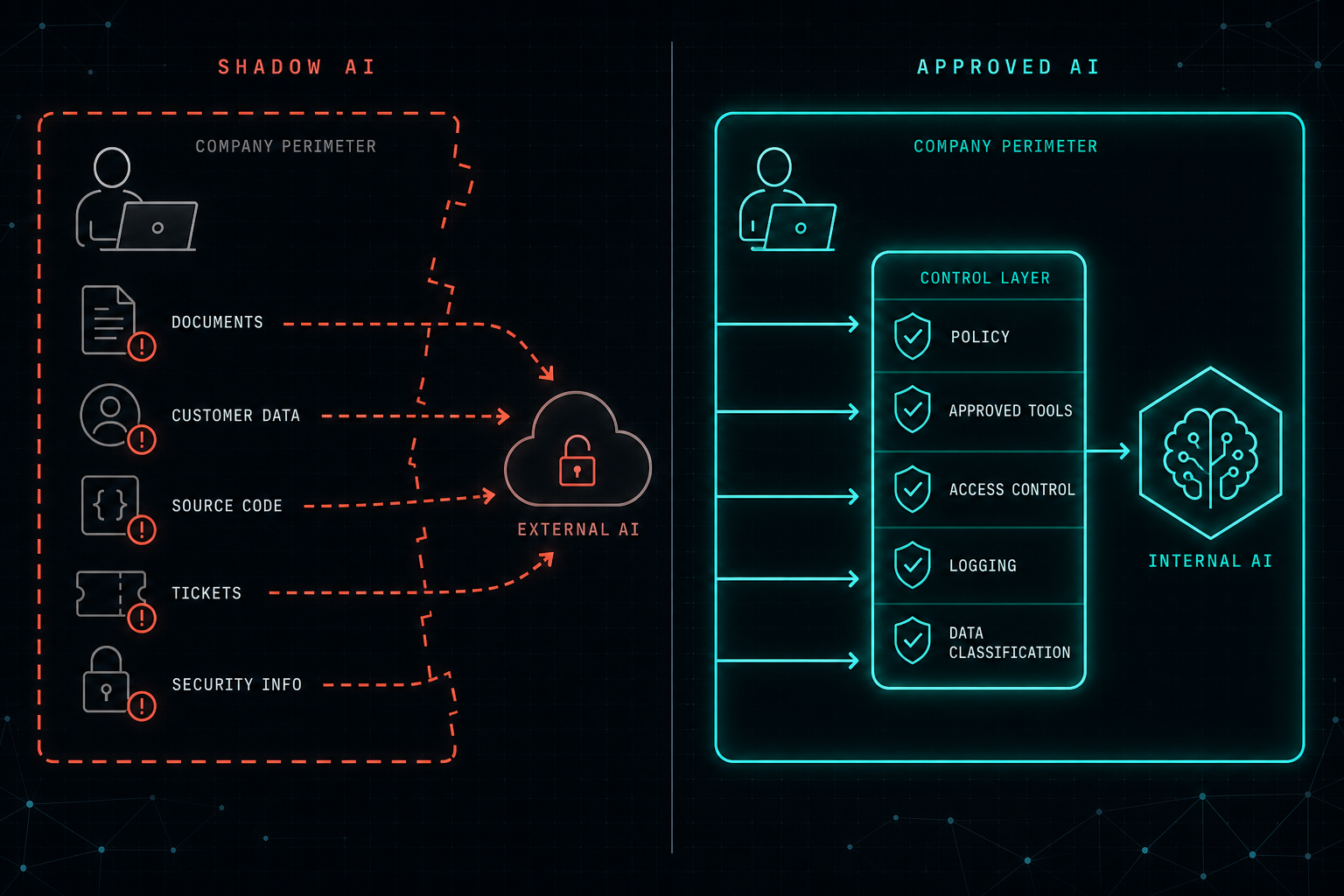
Employees are already using AI at work. When IT does not know which tools, what data, or where the conversation history lives, that is Shadow AI. The fix is to give people a safe, approved path, not to block the only tool that gets the job done.
Employees are already using AI tools at work.
Sometimes they use them to summarize documents, fix code, write emails, analyze logs, or prepare presentations. In many cases, they are just trying to work faster.
The problem starts when the organization does not know where the data is going.
This is called Shadow AI.
Shadow AI happens when employees use AI tools that were not approved, managed, or secured by the company. It can include uploading internal documents, customer data, source code, tickets, financial information, or security details into external AI platforms.
Most employees are not trying to create risk. They are trying to solve a problem.
But from an IT and security perspective, this creates a serious gap.
- Who approved the tool?
- Where is the data stored?
- Can the data be used for training?
- Who has access to the conversation history?
- Is sensitive information being exposed?
- Can the company audit what was shared?
Blocking every AI tool is usually not the right answer. People will still look for ways to get the job done.
A better approach is to give employees a safe and approved way to use AI.
Organizations should define clear AI usage policies, approved tools, data classification rules, access controls, logging, and security reviews. For sensitive use cases, companies should also consider internal AI solutions, local LLMs, or RAG systems with proper permissions and data governance.
Shadow AI is not only a technology problem.
It is a sign that employees need better tools.
The goal is not to stop AI adoption.
The goal is to make AI adoption safe, visible, and controlled.
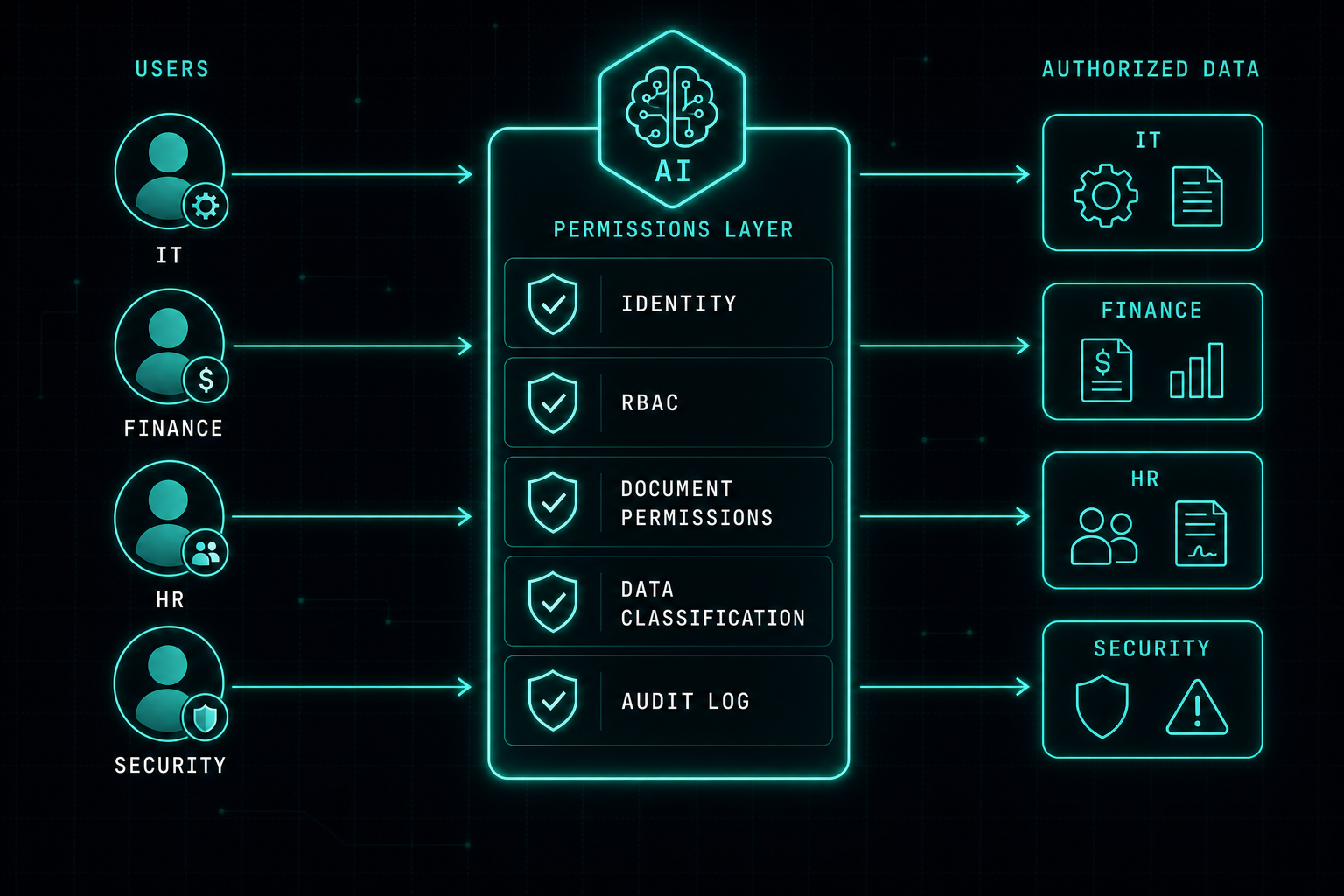
AI Permissions: Your AI Should Follow the Same Rules as Your Users
If an employee cannot open a financial document, the AI should not show them that data either. AI does not remove the need for identity, role-based access, and audit logs. It makes those controls more important.
Read article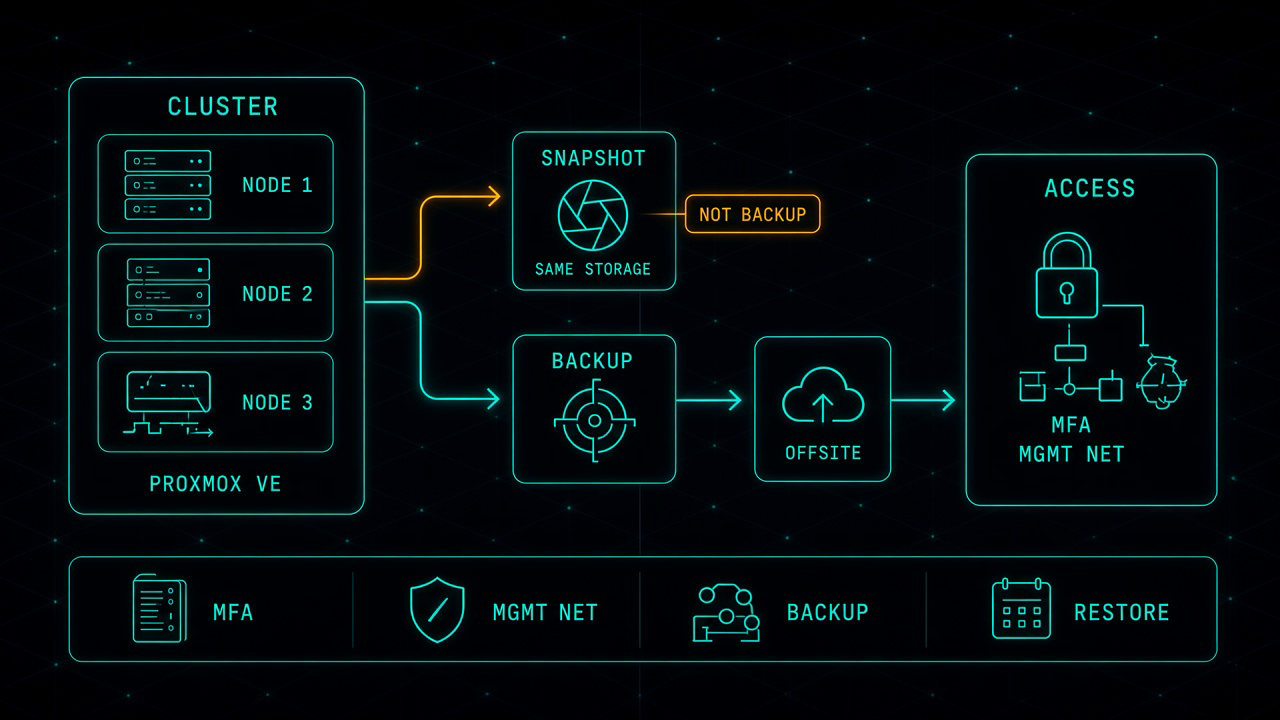
Proxmox in Production: The Work That Starts After the Move
Leaving VMware for Proxmox can be the right financial decision. It is not the finish line. After the last virtual machine lands, you own the hypervisor, the cluster, the backup, and the access path. That is where most of the real work starts.
Read article