
Docker Compose Does Not Automatically Use the GPU
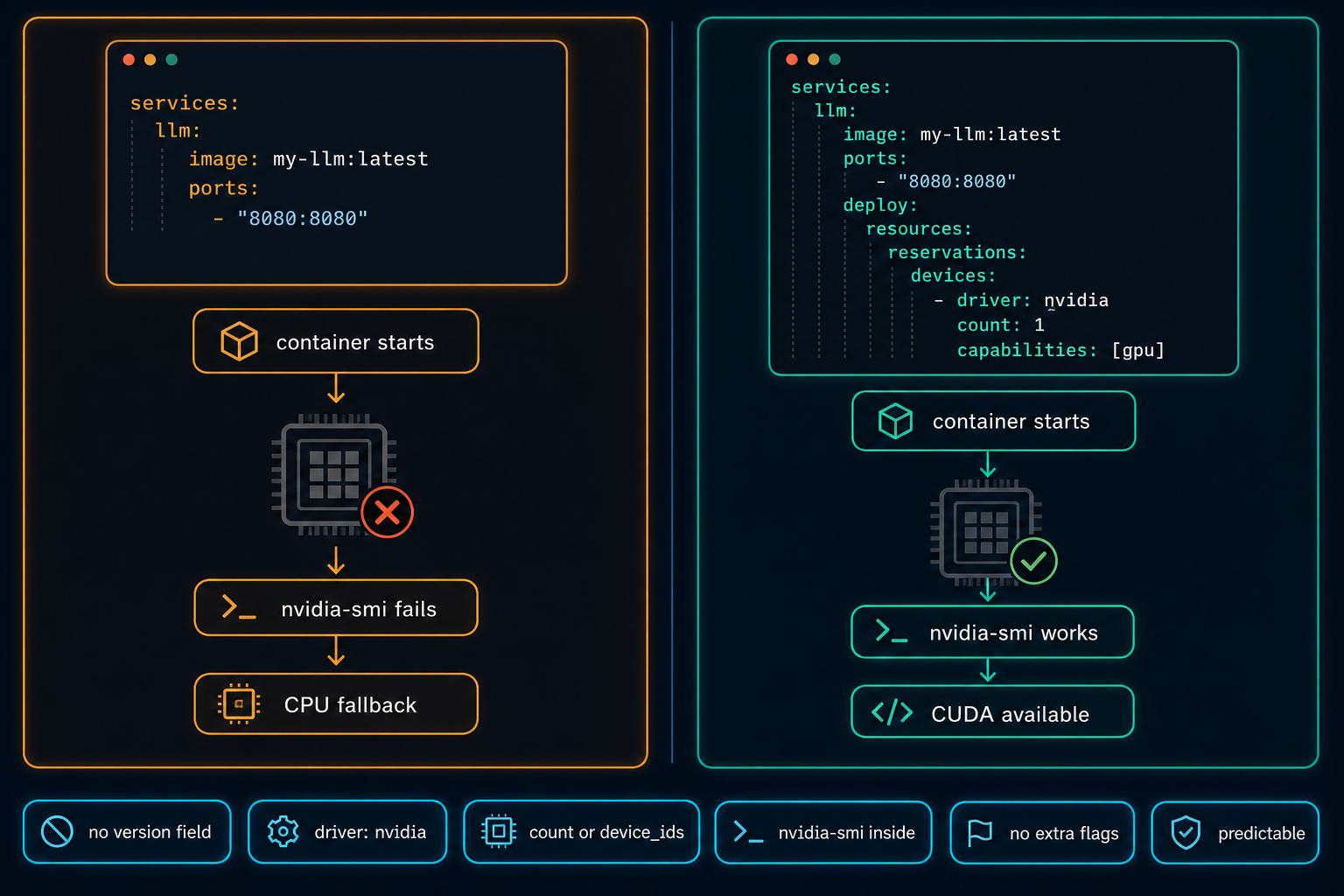
On Linux GPU servers, Docker Compose does not use the NVIDIA GPU automatically. The service starts, nothing obviously fails, and the workload quietly falls back to CPU. The fix is a few lines in the compose file, but only if you know to look for them.
On Linux GPU servers, Docker Compose does not automatically use the NVIDIA GPU just because the server has one. This is a common mistake in AI, CUDA, and Local LLM environments.
You may test the server directly with Docker and everything works:
docker run --rm --gpus all nvidia/cuda:12.4.1-base-ubuntu22.04 nvidia-smiBut then the real service runs with Docker Compose, and the container starts without GPU access. The application may still run, but it falls back to CPU. That means slow inference, poor performance, and a lot of wasted time troubleshooting the wrong thing.
The reason is simple. Docker Compose needs GPU access to be defined in the compose file. A basic service like this starts without errors, but it does not request the GPU:
services:
  llm:
    image: my-local-llm:latest
    ports:
      - "8080:8080"
For GPU workloads, the compose file must explicitly request NVIDIA GPU access using the deploy block. This is the correct configuration for a service that needs one GPU:
services:
  llm:
    image: my-local-llm:latest
    ports:
      - "8080:8080"
    deploy:
      resources:
        reservations:
          devices:
            - driver: nvidia
              count: 1
              capabilities: [gpu]
Sometimes you do not want to give the container all GPUs. You may want to limit it to a specific GPU, especially when multiple containers, users, or AI workloads share the same server. Use device_ids instead of count:
services:
  llm:
    image: my-local-llm:latest
    ports:
      - "8080:8080"
    deploy:
      resources:
        reservations:
          devices:
            - driver: nvidia
              device_ids: ["0"]
              capabilities: [gpu]
Without these limits, one container may take more GPU resources than expected. With clear GPU allocation in the compose file, the environment becomes easier to manage, easier to troubleshoot, and more predictable.
After updating the compose file, restart the service and test GPU access from inside the running container. If nvidia-smi returns the expected output from inside the container, with no extra flags, the configuration is correct.
Docker Default Runtime: Keep GPU Containers on NVIDIA
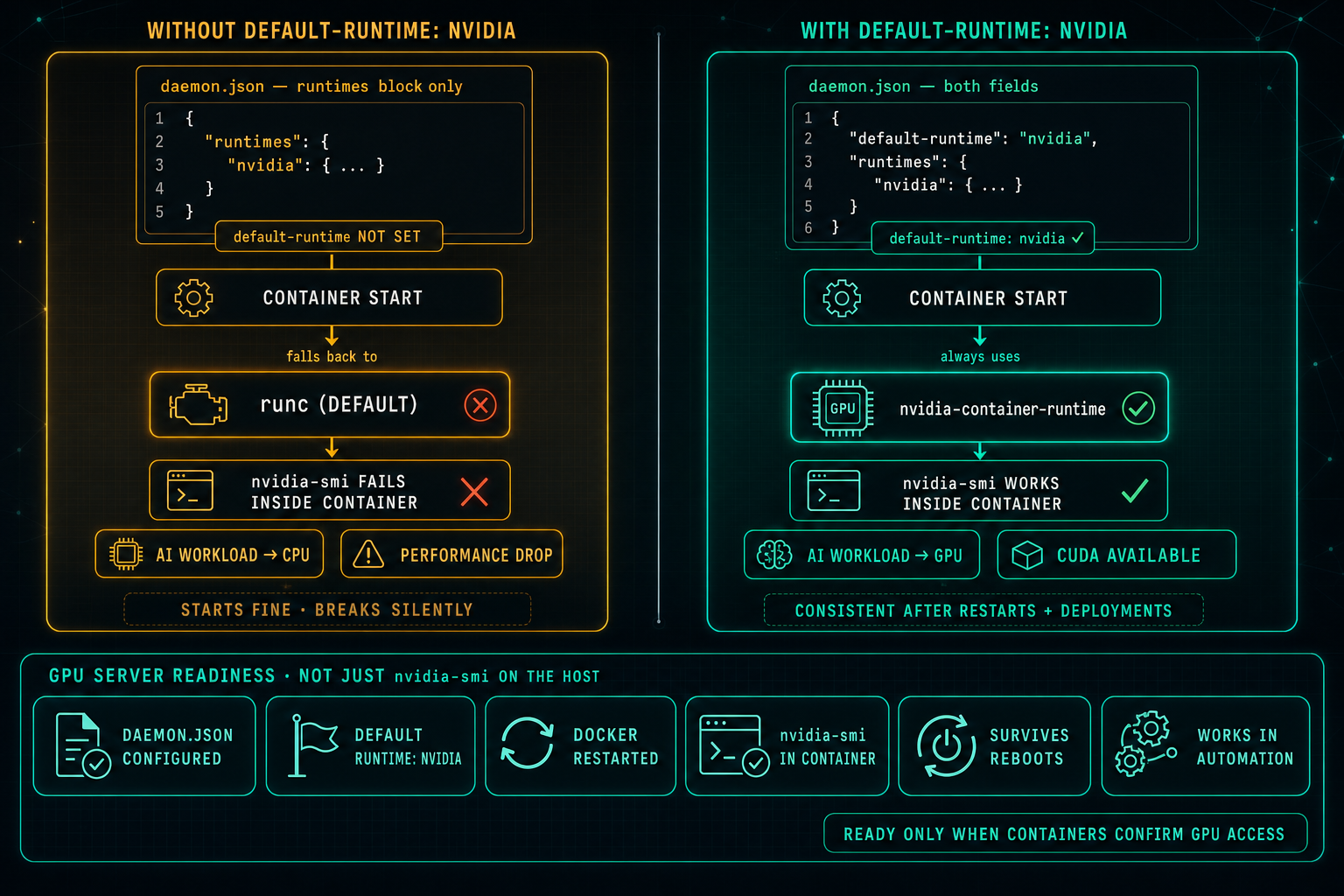
On Linux GPU servers, Docker can know about the NVIDIA runtime and still not use it. If default-runtime is missing from daemon.json, every container falls back to runc, nvidia-smi fails inside the container, AI workloads drop to CPU, and the problem looks like an application issue when it is really a one-line configuration gap.
Read article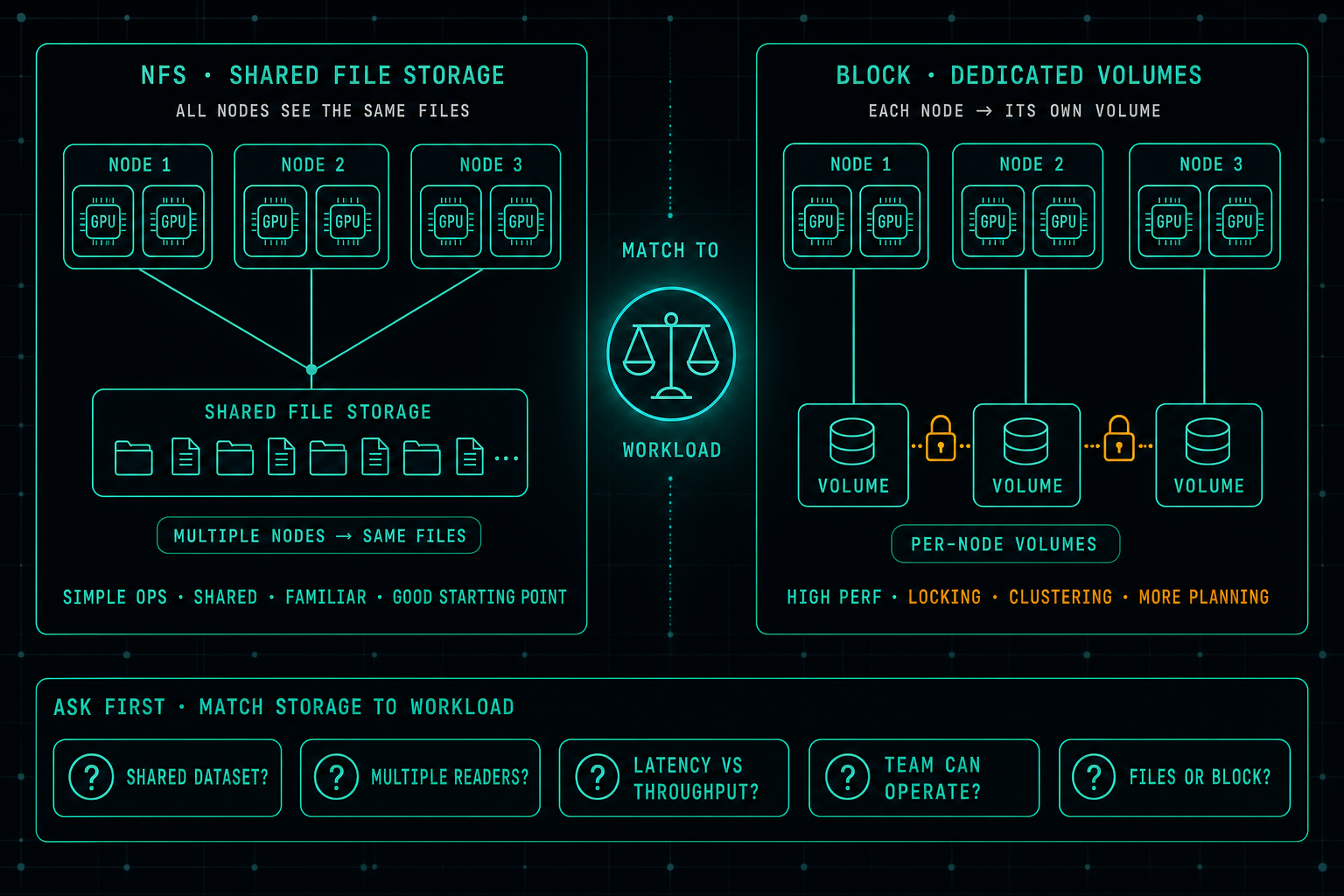
AI Storage: Why Fast GPUs Still Wait for Data
In AI infrastructure, the real bottleneck is often not the GPU, it is the storage. When data does not arrive fast enough, expensive GPUs sit idle. A well-designed NFS setup is still a great starting point for many AI workloads, and jumping straight to block storage usually buys complexity before it buys performance. The better question is which storage matches the workload the team can actually operate.
Read article