RAG: Good Answers Start With Good Data
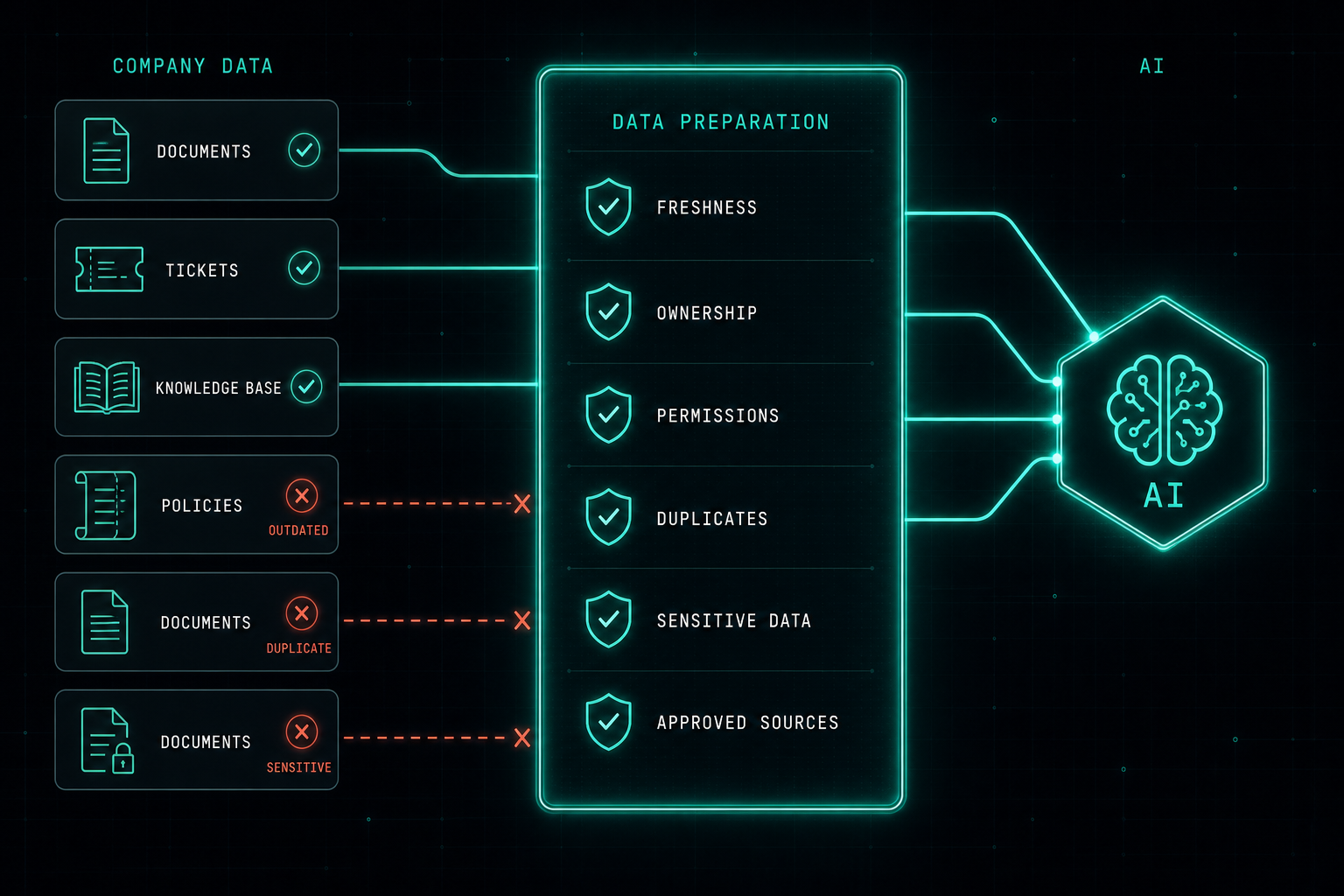
RAG lets AI search company data before answering, but if that data is messy, outdated, or wide open, the AI will return confident wrong answers. Good RAG starts with good data, clear ownership, and the right security model.
RAG stands for Retrieval Augmented Generation.
In simple words, RAG allows an AI system to search company data before answering a question. Instead of relying only on the model itself, the system retrieves relevant information from documents, knowledge bases, tickets, policies, procedures, or internal systems, and then uses that context to generate an answer.
This is powerful because it allows companies to use AI with their own internal knowledge.
But RAG is not magic.
One of the biggest mistakes is connecting all company data too quickly, without checking what is really inside.
Before starting a RAG project, IT and data teams need to ask important questions.
- How many documents do we have?
- How many users will use the system?
- Who owns the documents?
- Is the information still up to date?
- Are there old versions mixed with new ones?
- Are there duplicate files?
- Is there sensitive or confidential data?
- Should every user be allowed to see every answer?
This is why data preparation is the most important part of RAG.
The company needs to clean the content, remove old documents, validate the right sources, define access permissions, and make sure the information is trusted before it is connected to AI.
The goal is not to connect AI to everything.
The goal is to connect AI to the right data.
When the data is prepared correctly, RAG can help users find answers faster, reduce repetitive work, improve support, and make internal knowledge easier to use.
But if the data is not ready, the company should not rush.
Good RAG starts before the AI.
It starts with good data, clear ownership, and the right security model.
Docker Compose Does Not Automatically Use the GPU
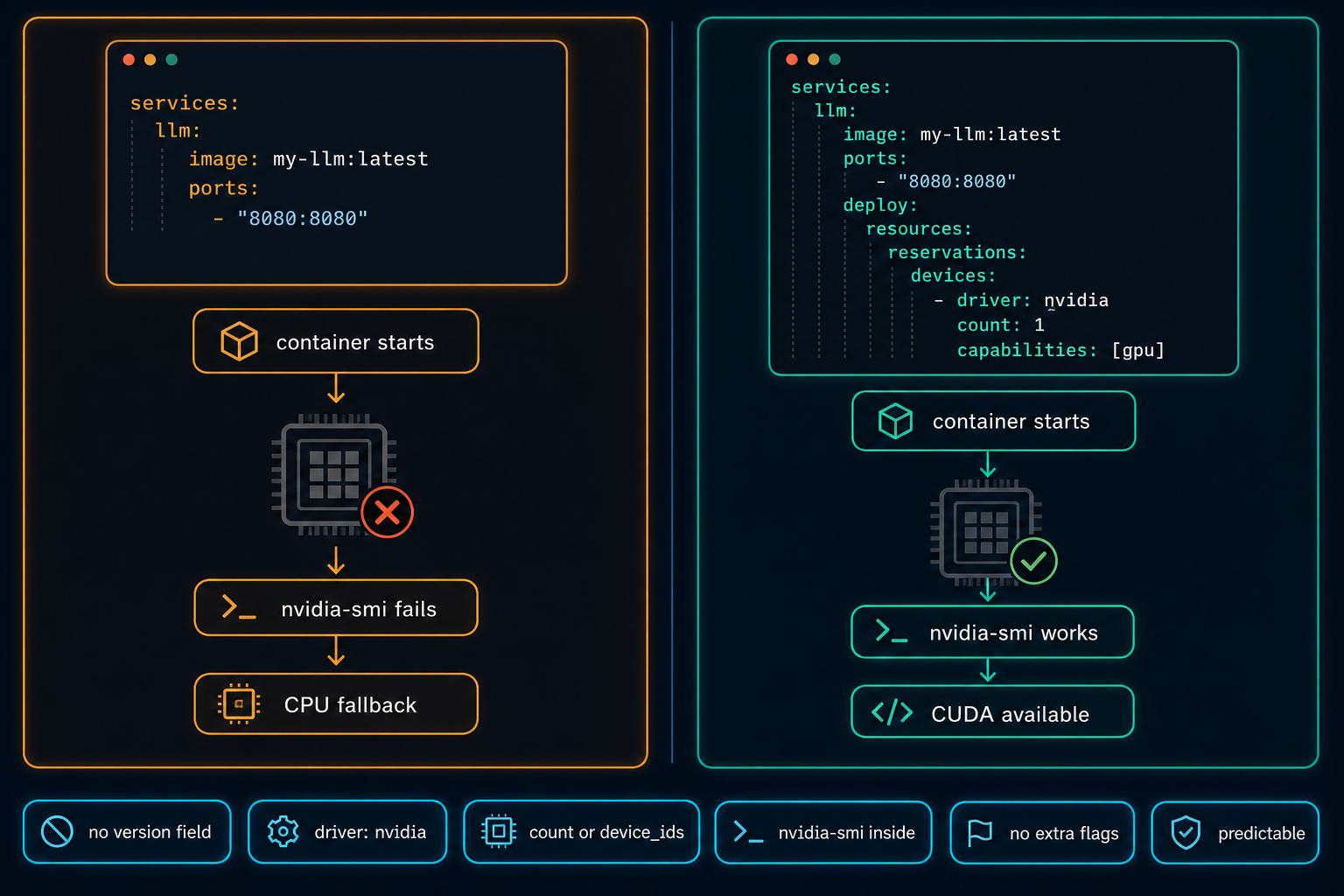
On Linux GPU servers, Docker Compose does not use the NVIDIA GPU automatically. The service starts, nothing obviously fails, and the workload quietly falls back to CPU. The fix is a few lines in the compose file, but only if you know to look for them.
Read article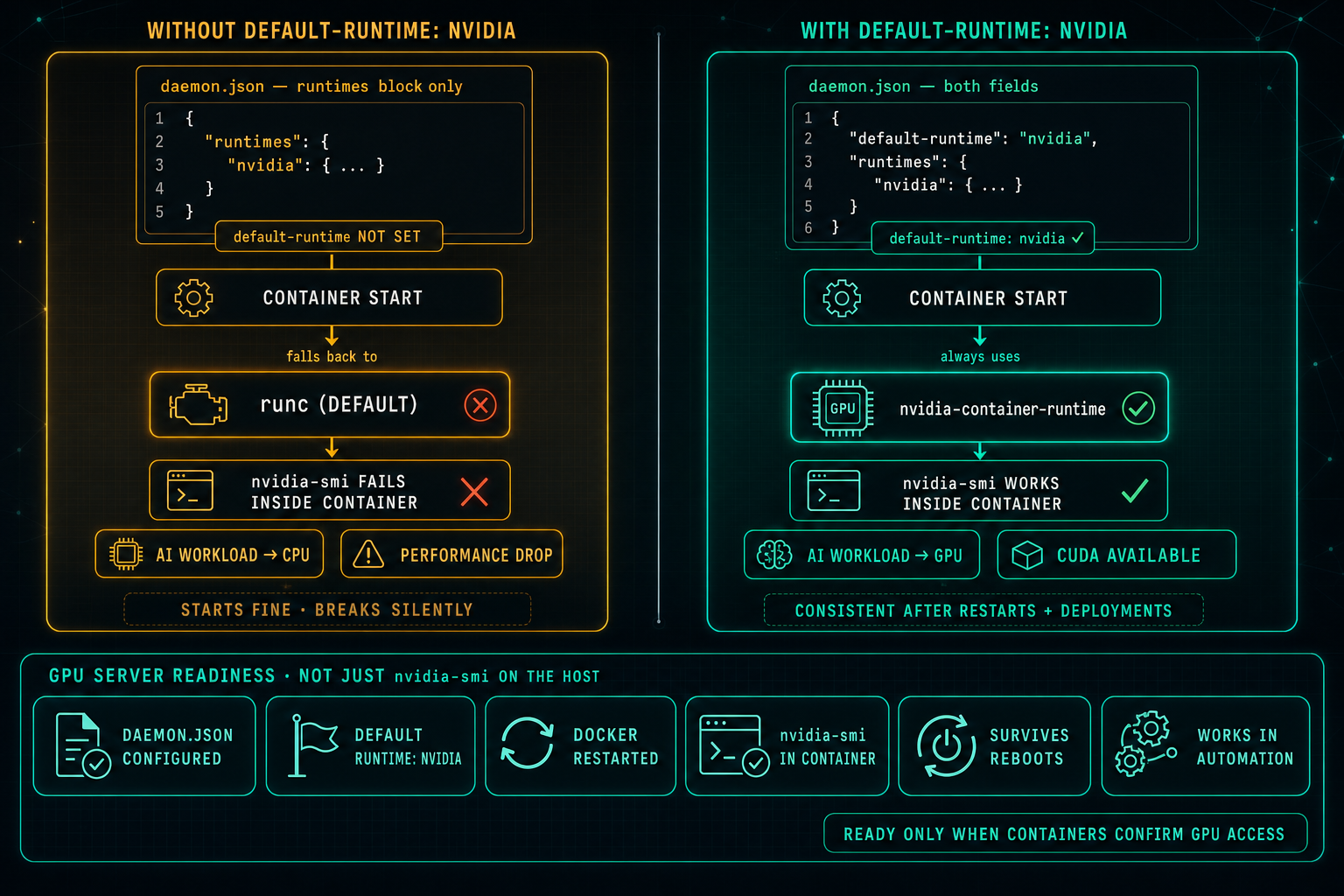
Docker Default Runtime: Keep GPU Containers on NVIDIA
On Linux GPU servers, Docker can know about the NVIDIA runtime and still not use it. If default-runtime is missing from daemon.json, every container falls back to runc, nvidia-smi fails inside the container, AI workloads drop to CPU, and the problem looks like an application issue when it is really a one-line configuration gap.
Read article