
Docker Default Runtime: Keep GPU Containers on NVIDIA
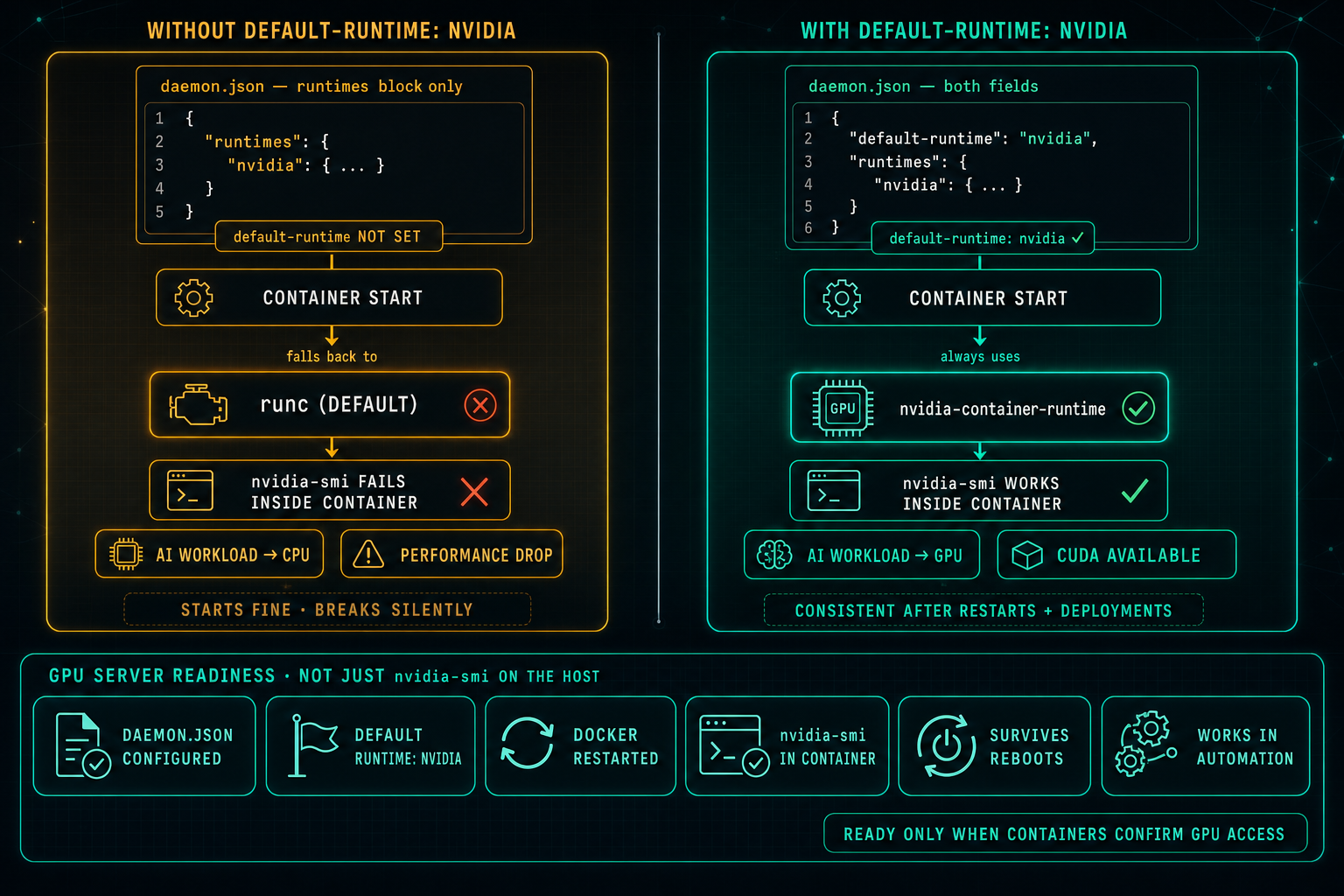
On Linux GPU servers, Docker can know about the NVIDIA runtime and still not use it. If default-runtime is missing from daemon.json, every container falls back to runc, nvidia-smi fails inside the container, AI workloads drop to CPU, and the problem looks like an application issue when it is really a one-line configuration gap.
On Linux servers with NVIDIA GPUs, Docker runtime configuration is critical for AI workloads, CUDA, and Local LLMs.
For a container to use the GPU, it must run with the NVIDIA container runtime. That part is well documented. What is less obvious is that registering the runtime is not the same as making it the default.
A common mistake is assuming that Docker will use the NVIDIA runtime just because it appears in daemon.json.
For example, this configuration only registers the NVIDIA runtime:
{
  "runtimes": {
    "nvidia": {
      "path": "nvidia-container-runtime",
      "runtimeArgs": []
    }
  }
}
This means Docker knows about the NVIDIA runtime, but it does not mean Docker will use it by default. Without the line "default-runtime": "nvidia", containers that do not explicitly request the NVIDIA runtime will start on runc.
For GPU-focused Linux servers, the configuration should include the default-runtime field:
{
  "default-runtime": "nvidia",
  "runtimes": {
    "nvidia": {
      "path": "nvidia-container-runtime",
      "runtimeArgs": []
    }
  }
}
Without this line, containers may fall back to the regular Docker runtime, runc. The container may still start, but GPU access can fail, nvidia-smi may not work inside the container, and AI workloads may silently fall back to CPU.
The failure mode is confusing. The container starts without errors. Nothing obviously breaks. The problem gets misread as an application issue or a model configuration issue, when the real cause is a single missing line in a config file.
After updating daemon.json, restart Docker and test GPU access from inside a running container. If nvidia-smi returns the expected output from inside the container, the configuration is correct.
This makes GPU access predictable and consistent. It works the same on first boot, after a Docker restart, after a system reboot, and in automated deployments where no one is manually passing runtime flags.
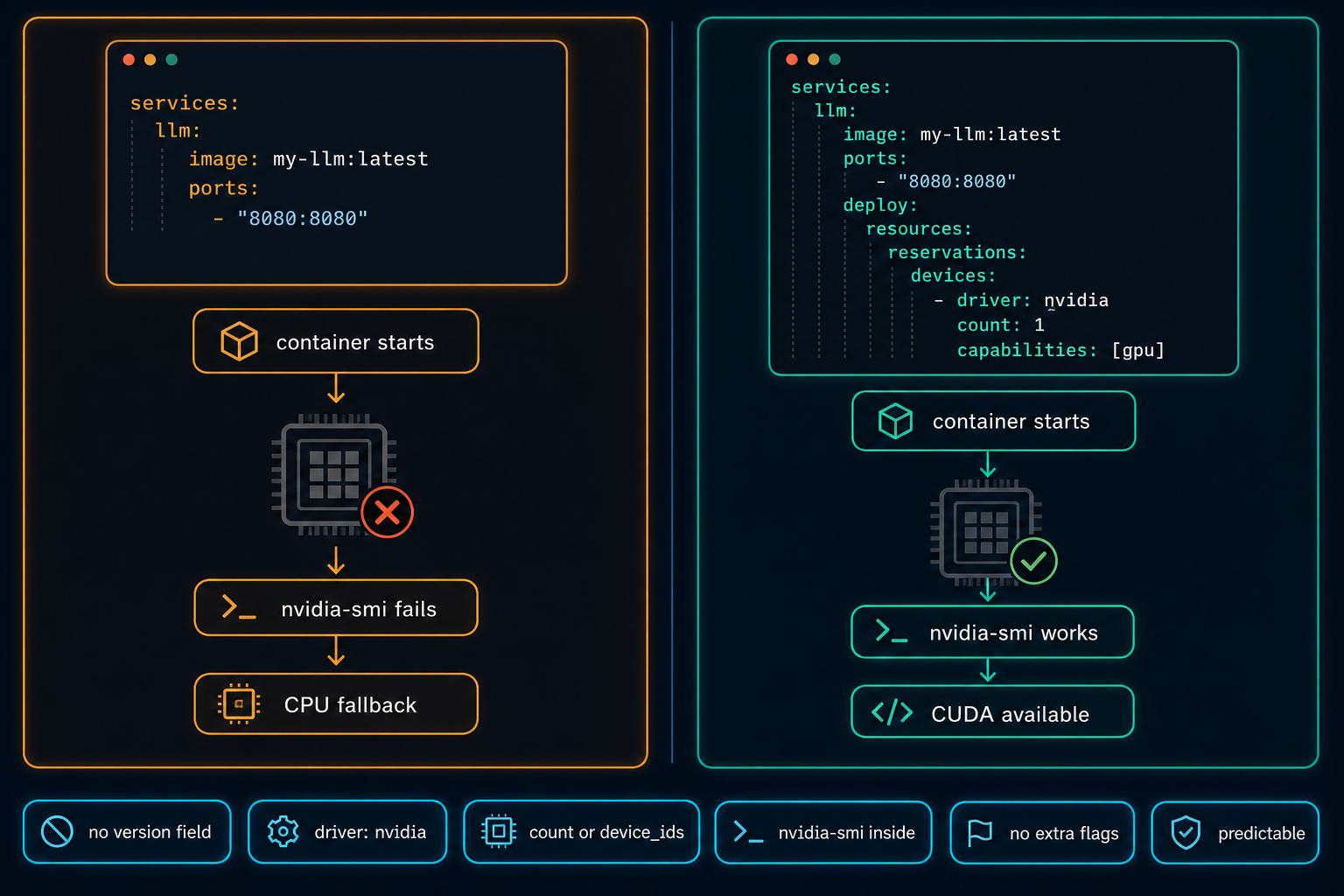
Docker Compose Does Not Automatically Use the GPU
On Linux GPU servers, Docker Compose does not use the NVIDIA GPU automatically. The service starts, nothing obviously fails, and the workload quietly falls back to CPU. The fix is a few lines in the compose file, but only if you know to look for them.
Read article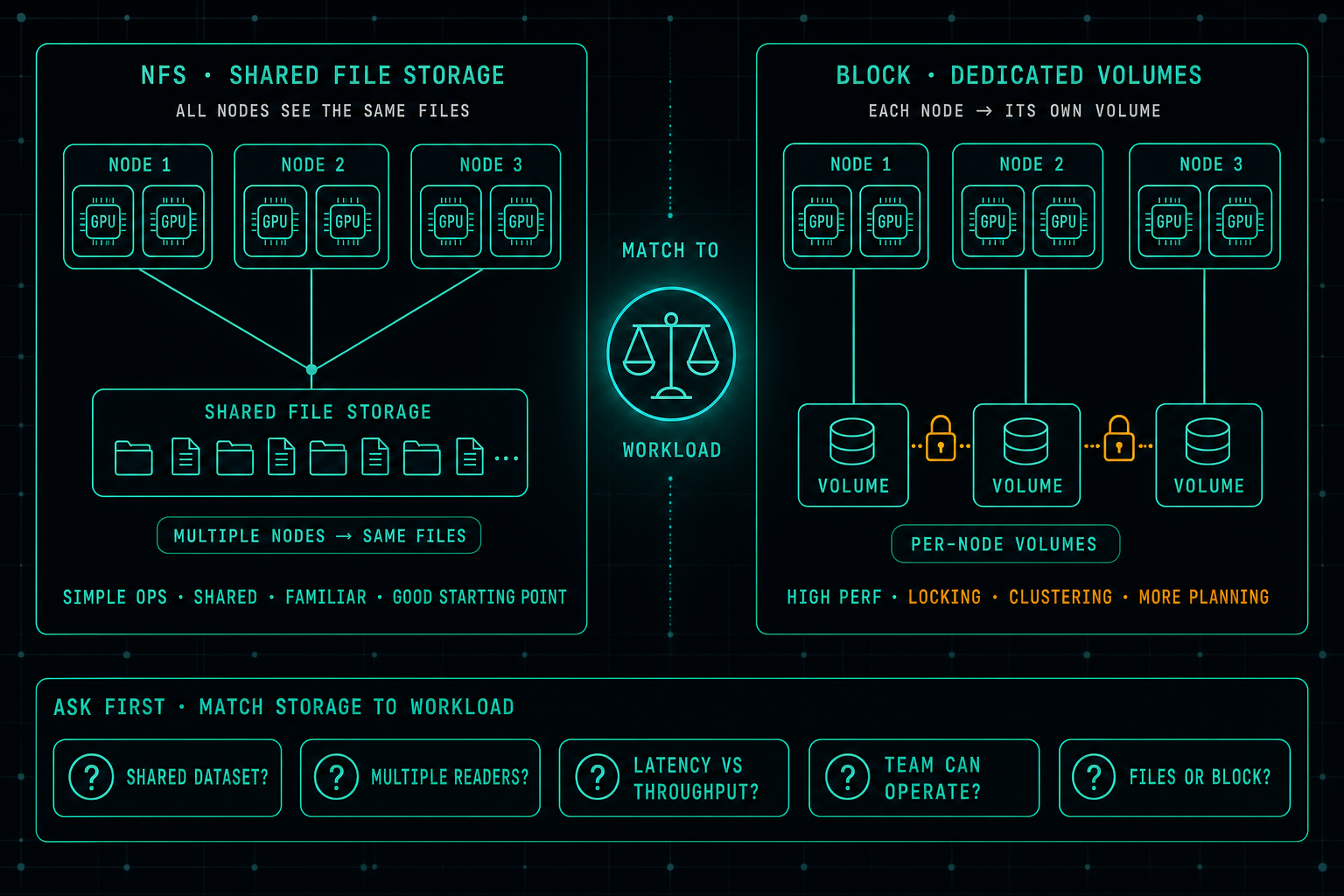
AI Storage: Why Fast GPUs Still Wait for Data
In AI infrastructure, the real bottleneck is often not the GPU, it is the storage. When data does not arrive fast enough, expensive GPUs sit idle. A well-designed NFS setup is still a great starting point for many AI workloads, and jumping straight to block storage usually buys complexity before it buys performance. The better question is which storage matches the workload the team can actually operate.
Read article