
PCIe 5.0 for GPUs: Speed Matters, but Design Matters More
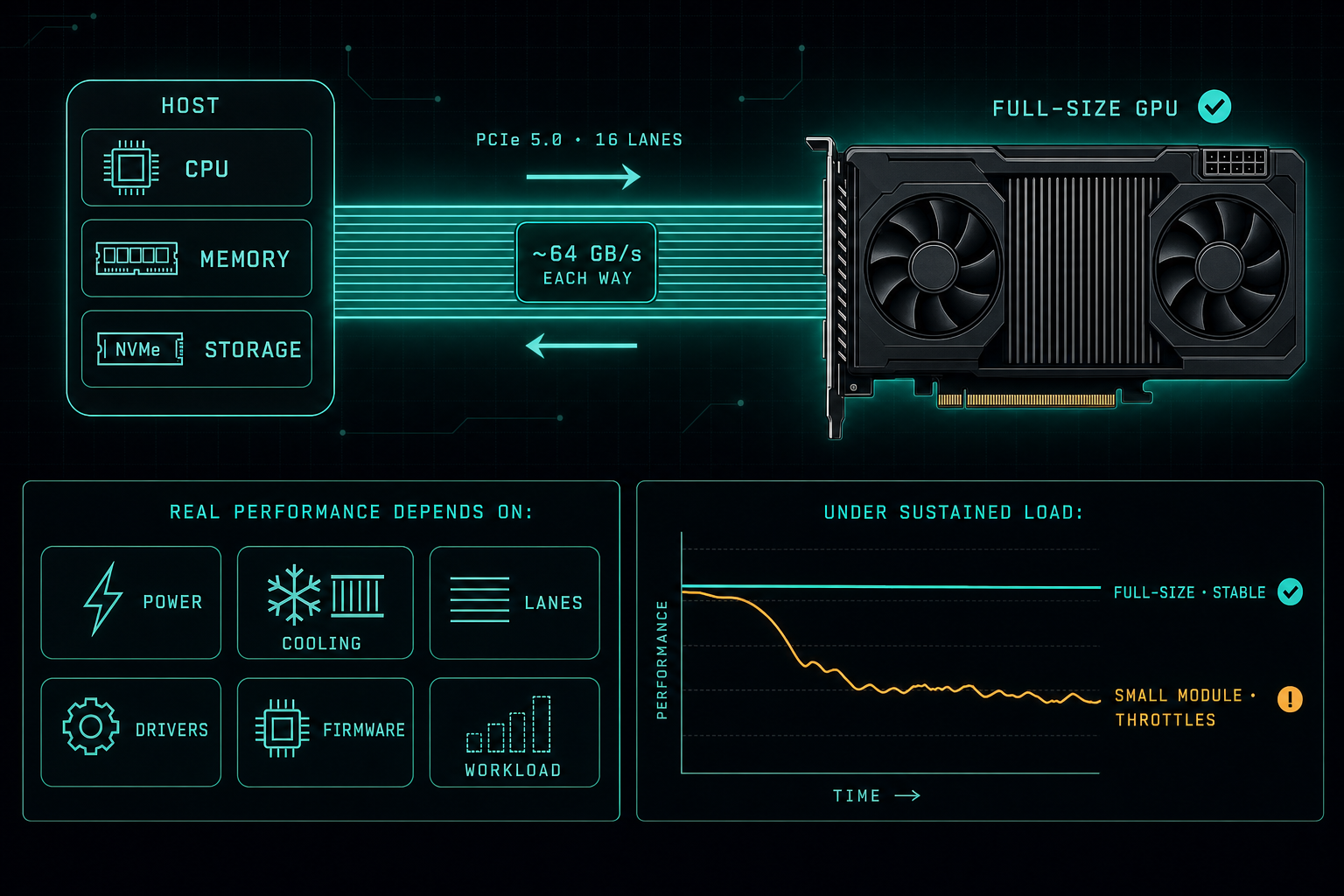
PCIe 5.0 x16 gives a GPU around 64 GB/s of bandwidth in each direction. That is impressive on paper. What actually decides whether a Local LLM stays stable under hours of load is power, cooling, lanes, drivers, firmware, and the real workload, not the PCIe version on the spec sheet.
When we talk about GPUs for AI workloads or Local LLMs, PCIe 5.0 is usually discussed in the context of a full x16 slot.
PCIe 5.0 delivers 32 GT/s per lane. With x16, that works out to about 64 GB/s of bandwidth in each direction.
That is a major jump for GPU-based systems, especially when moving large amounts of data between the CPU, memory, storage, and GPU.
But the PCIe version is only one part of the story.
A GPU or accelerator can support PCIe 5.0, but real performance also depends on:
- Power delivery to the card under sustained load.
- Cooling capacity and how heat is removed from the chassis.
- How many PCIe lanes the slot actually wires up to the CPU.
- Firmware on the card, the motherboard, and the BIOS.
- Driver stack on the host operating system.
- The shape of the real workload, not just the benchmark.
This is also why smaller modules can perform worse than expected under load.
Small form factor modules usually have less room for cooling, fewer power components, and a more limited internal design. Even when they support PCIe 5.0, they may not hold peak performance for long. Under heavy AI workloads, heat and power limits can cause throttling, lower sustained speed, or instability.
For Local LLM and GPU workloads, the better mental model is to look at the whole path: host platform, slot wiring, card form factor, cooling, power budget, firmware, drivers, and the workload itself.
PCIe 5.0 x16 gives impressive bandwidth, but the full system design decides whether you actually see it.
For AI infrastructure, speed is important. Stability, cooling, and version compatibility are what make the system reliable.
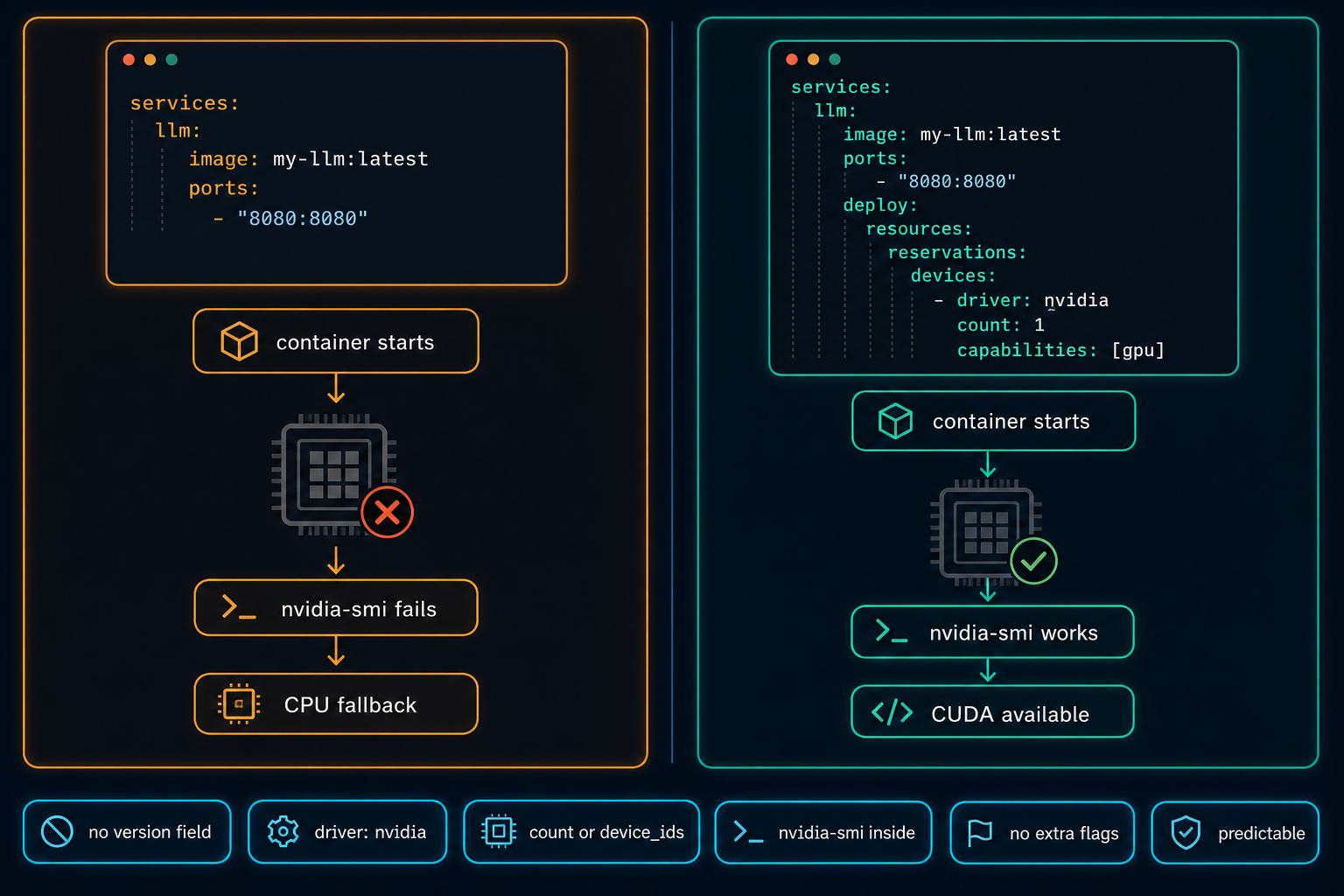
Docker Compose Does Not Automatically Use the GPU
On Linux GPU servers, Docker Compose does not use the NVIDIA GPU automatically. The service starts, nothing obviously fails, and the workload quietly falls back to CPU. The fix is a few lines in the compose file, but only if you know to look for them.
Read article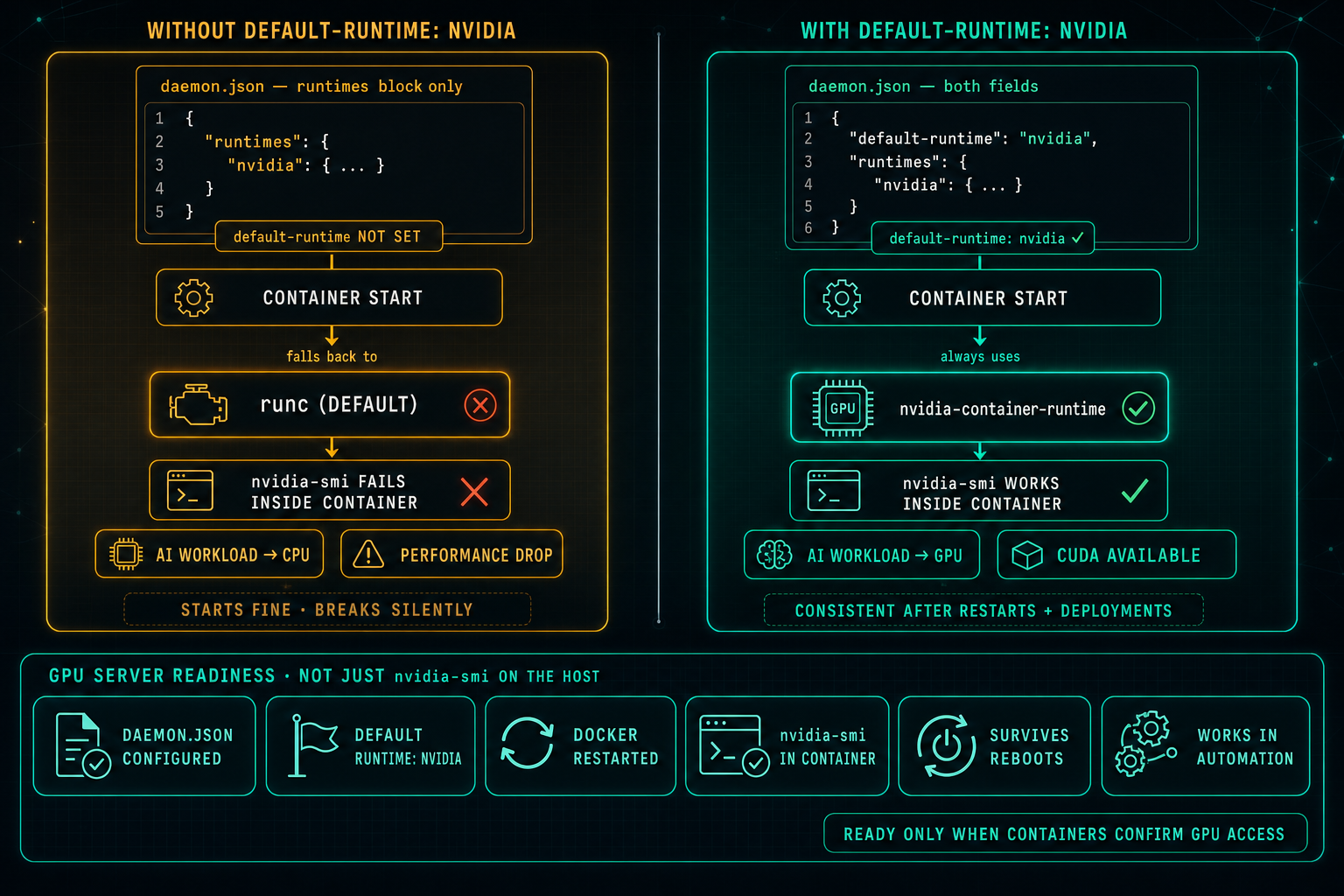
Docker Default Runtime: Keep GPU Containers on NVIDIA
On Linux GPU servers, Docker can know about the NVIDIA runtime and still not use it. If default-runtime is missing from daemon.json, every container falls back to runc, nvidia-smi fails inside the container, AI workloads drop to CPU, and the problem looks like an application issue when it is really a one-line configuration gap.
Read article