
NVIDIA CUDA in Containers: Version Alignment Matters
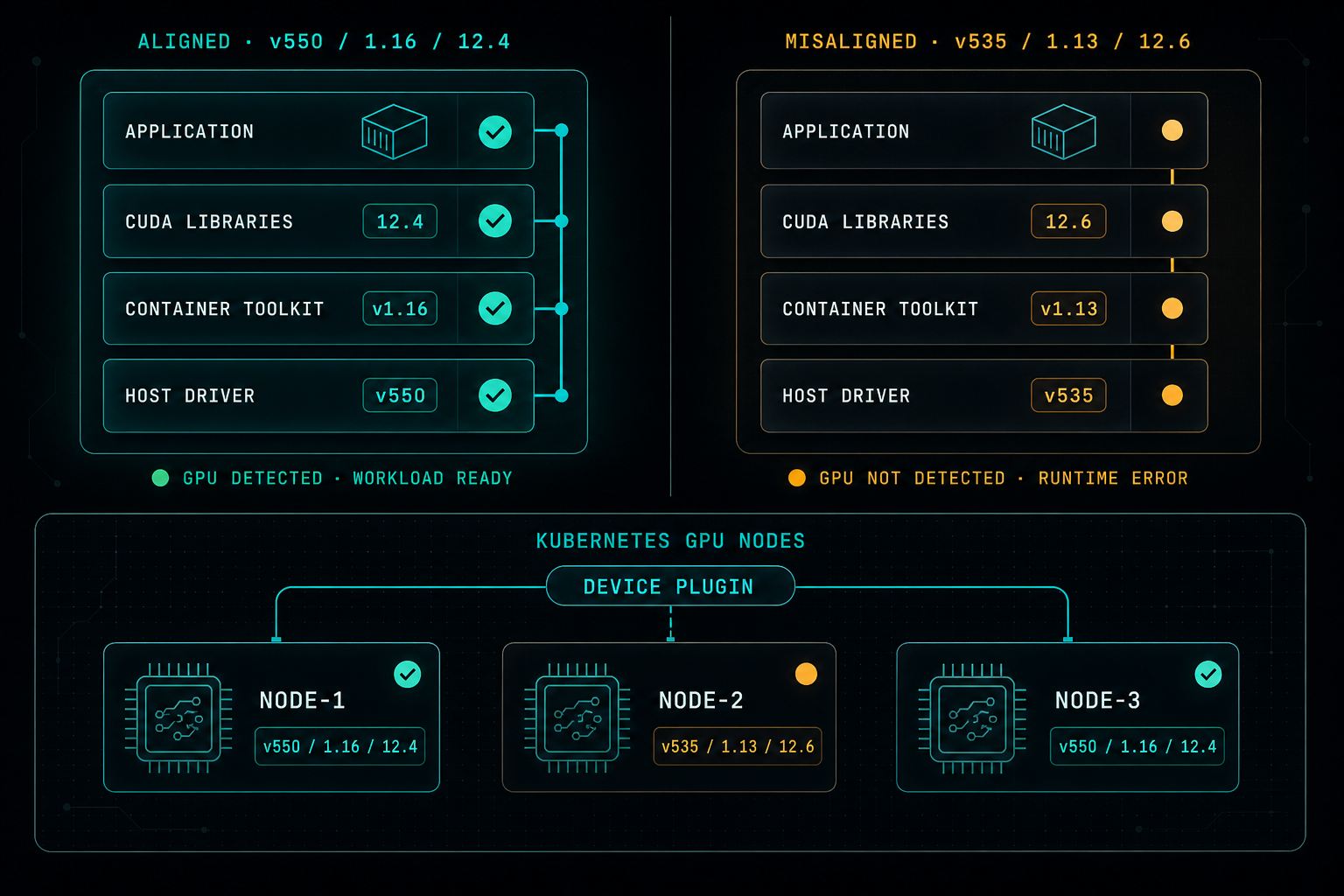
Running GPU workloads in Docker or Kubernetes is powerful, but most outages are not in the application. They come from small mismatches between the host driver, the CUDA libraries in the image, the Container Toolkit, and the Kubernetes node config. Stable GPU environments start with version alignment.
Running AI, machine learning, or GPU-based workloads inside Docker or Kubernetes can be very powerful.
NVIDIA CUDA allows applications to use the GPU for heavy compute tasks instead of relying only on the CPU. This matters for workloads such as AI models, data processing, video pipelines, simulations, and high-performance computing.
But when CUDA runs inside containers, the setup has to be planned carefully.
One of the most common mistakes is mixing versions without checking compatibility.
Three layers have to line up:
- The host runs the NVIDIA driver.
- The container ships with the CUDA libraries.
- Docker or Kubernetes uses the NVIDIA Container Toolkit to expose the GPU into the container.
If the driver, CUDA version, container image, and toolkit are not aligned, things break quickly. Sometimes the container does not see the GPU. Sometimes the application starts but fails during runtime. Sometimes the error message does not clearly point to the real problem.
Kubernetes makes this even more important.
A GPU workload may move between nodes, and every node needs the correct driver, runtime configuration, and NVIDIA device plugin. If one node is different from the others, the same workload may run on one node and fail on another.
The fix is simple but disciplined.
Do not treat GPU containers like regular containers. Treat them as a tested combination of driver, image, toolkit, and runtime, and keep that combination consistent everywhere it runs.
In practice, that means:
- Use a tested driver, CUDA, and toolkit set as a single approved combination.
- Keep the NVIDIA driver consistent across every GPU node.
- Pick the right CUDA base image for your driver and workload.
- Validate the NVIDIA Container Toolkit version on every node.
- Document the working combination and treat it as a release artifact.
- Avoid random upgrades. Promote new versions through testing first.
- Apply the same standard to every Kubernetes GPU node, with no exceptions.
CUDA with Docker or Kubernetes is a great way to run modern workloads, but version management is critical.
Most GPU issues are not caused by the application. They are caused by small mismatches between the host, the container, the toolkit, and the runtime.
A stable GPU environment starts with version alignment.
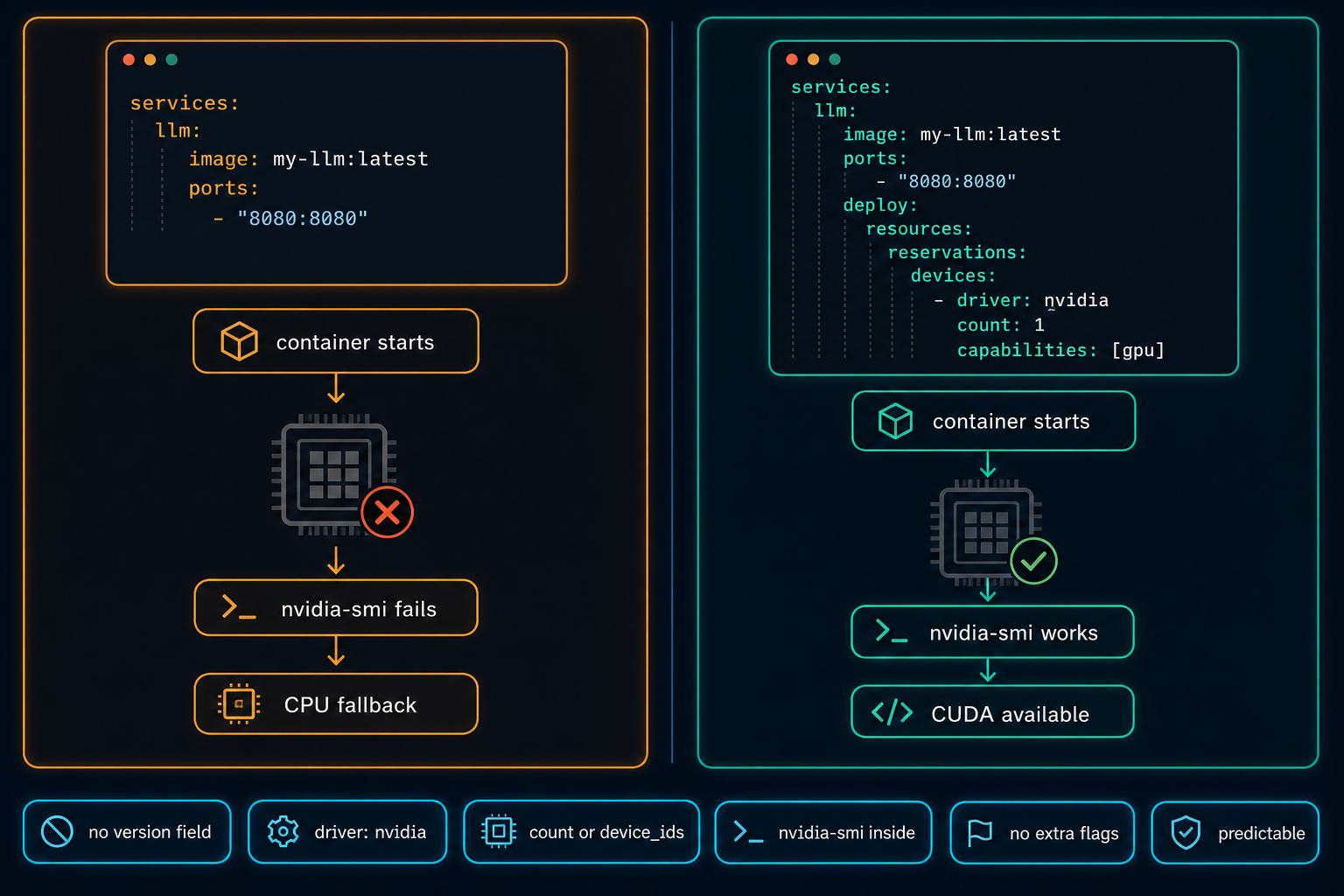
Docker Compose Does Not Automatically Use the GPU
On Linux GPU servers, Docker Compose does not use the NVIDIA GPU automatically. The service starts, nothing obviously fails, and the workload quietly falls back to CPU. The fix is a few lines in the compose file, but only if you know to look for them.
Read article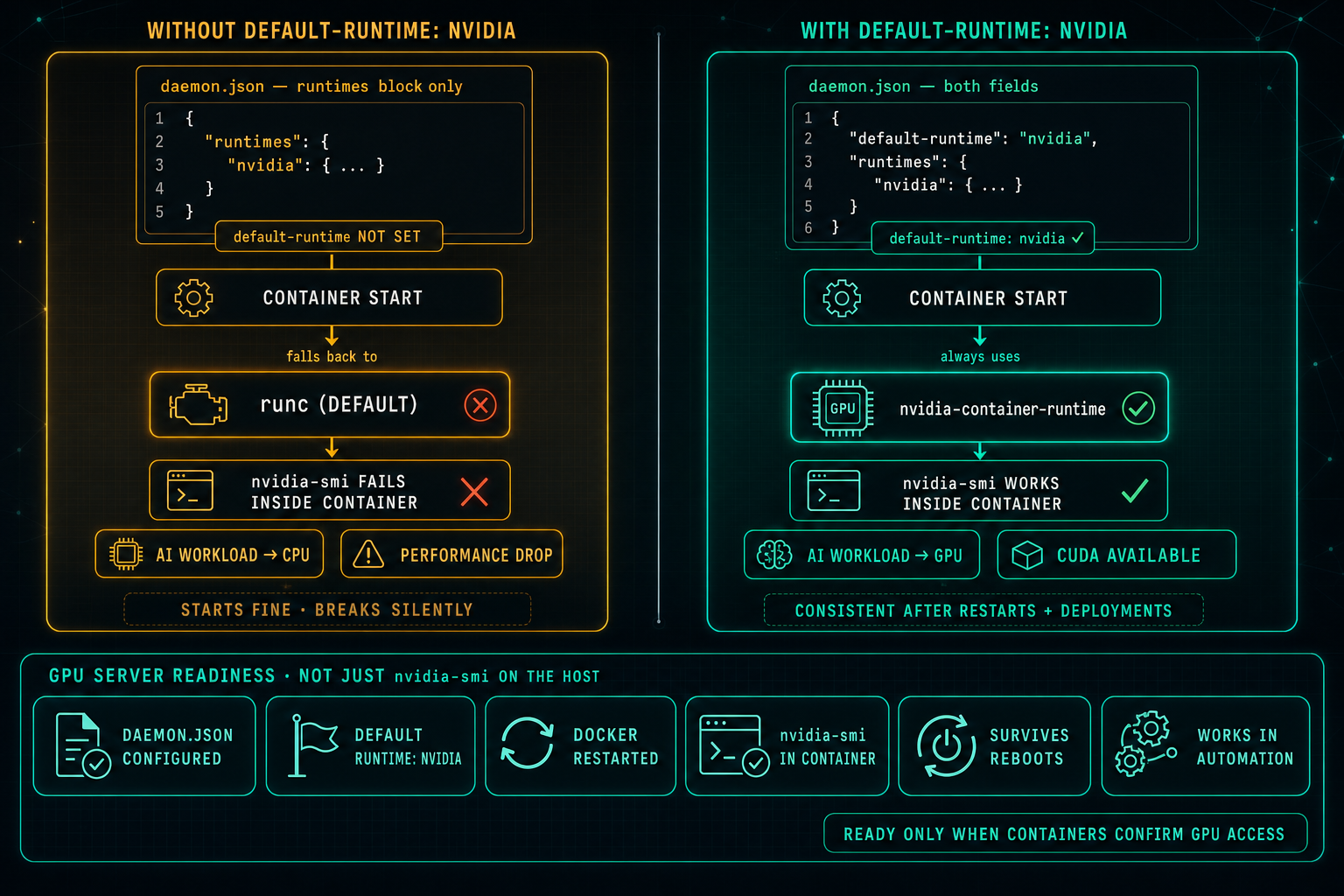
Docker Default Runtime: Keep GPU Containers on NVIDIA
On Linux GPU servers, Docker can know about the NVIDIA runtime and still not use it. If default-runtime is missing from daemon.json, every container falls back to runc, nvidia-smi fails inside the container, AI workloads drop to CPU, and the problem looks like an application issue when it is really a one-line configuration gap.
Read article