
Local LLM: Why It Is Worth the Time and Resources
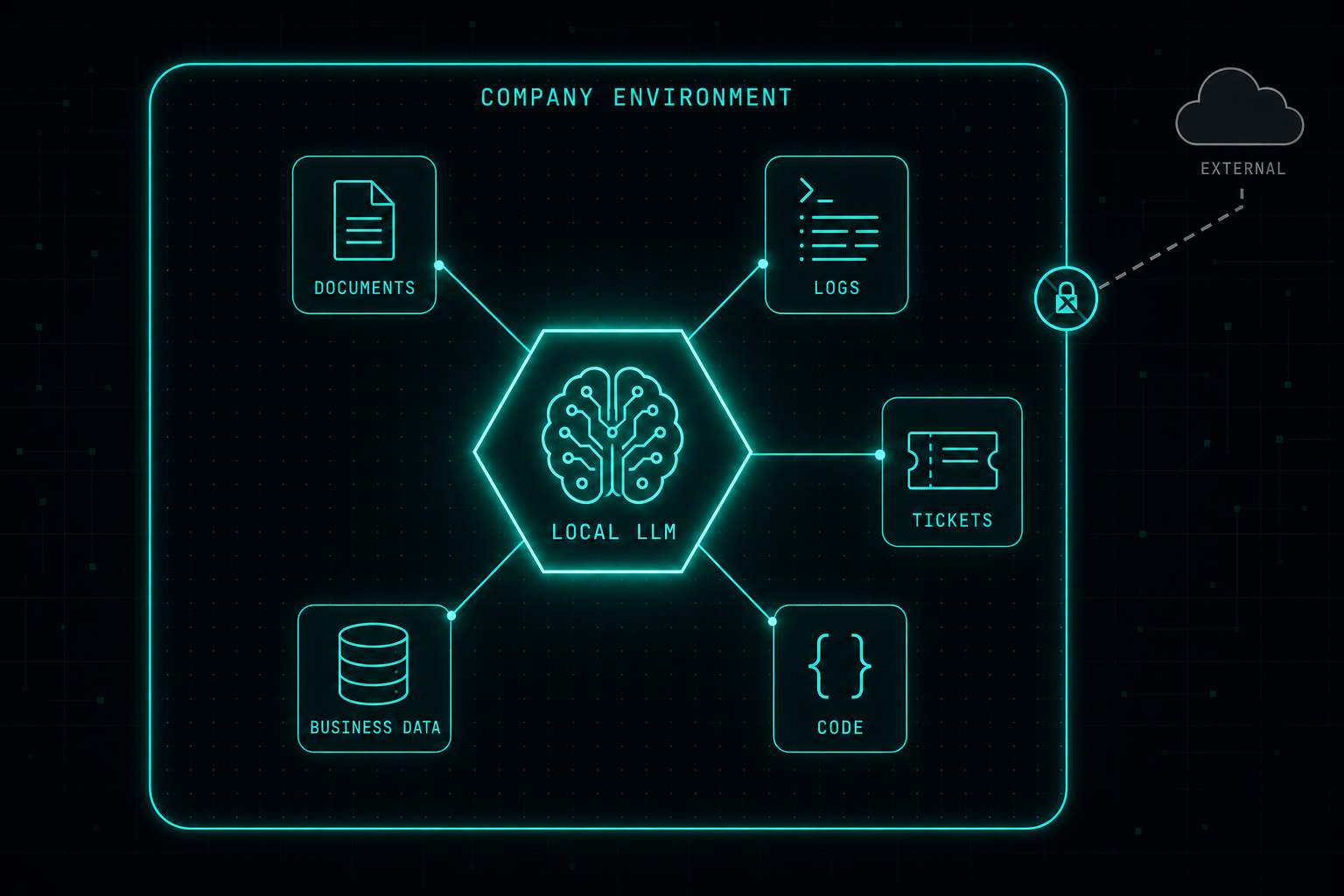
Cloud AI is easy, but it is not always the right answer when the data needs to stay inside the company. A local LLM gives IT and security teams a way to use AI on internal systems without handing sensitive data to an external service.
Cloud AI tools are powerful and easy to use, but they are not always the right answer for every company use case.
As organizations start using AI in real workflows, one question becomes more important:
Where should the data go?
A local LLM gives the company more control. The model can run inside the organization’s own environment, closer to internal systems, documents, logs, tickets, code, and business data.
This does not mean every company must replace cloud AI. It means that some use cases deserve a more controlled approach.
Local LLMs are valuable when the data is sensitive, when privacy matters, or when the organization wants to reduce dependency on external services. They can also help with internal knowledge search, security analysis, automation, code review, support workflows, and operational tasks.
The main benefit is control.
- The company controls where the data is processed.
- The company controls who can access it.
- The company controls how it is connected to internal systems.
- The company controls the security layer around it.
Of course, running a local LLM requires time, infrastructure, testing, and people who understand the environment. It is not always simple, and it is not always cheaper at the beginning.
But it is worth investing in.
AI is becoming part of daily work. If a company wants to use AI seriously, it should not rely only on public tools. It should also build internal AI capabilities that match its security, compliance, and operational needs.
A local LLM is not just a technology project.
It is a step toward using AI in a safer, smarter, and more independent way.
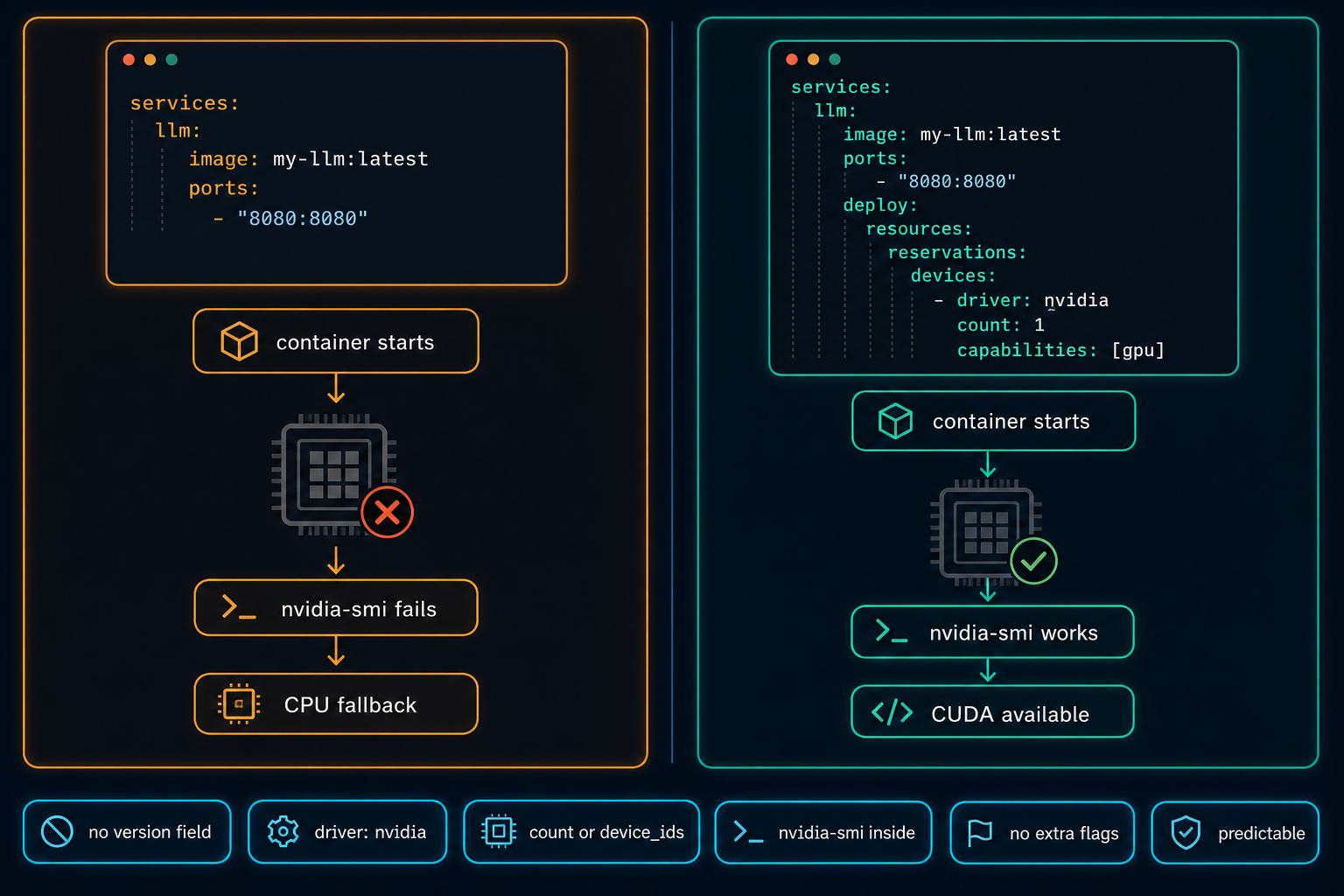
Docker Compose Does Not Automatically Use the GPU
On Linux GPU servers, Docker Compose does not use the NVIDIA GPU automatically. The service starts, nothing obviously fails, and the workload quietly falls back to CPU. The fix is a few lines in the compose file, but only if you know to look for them.
Read article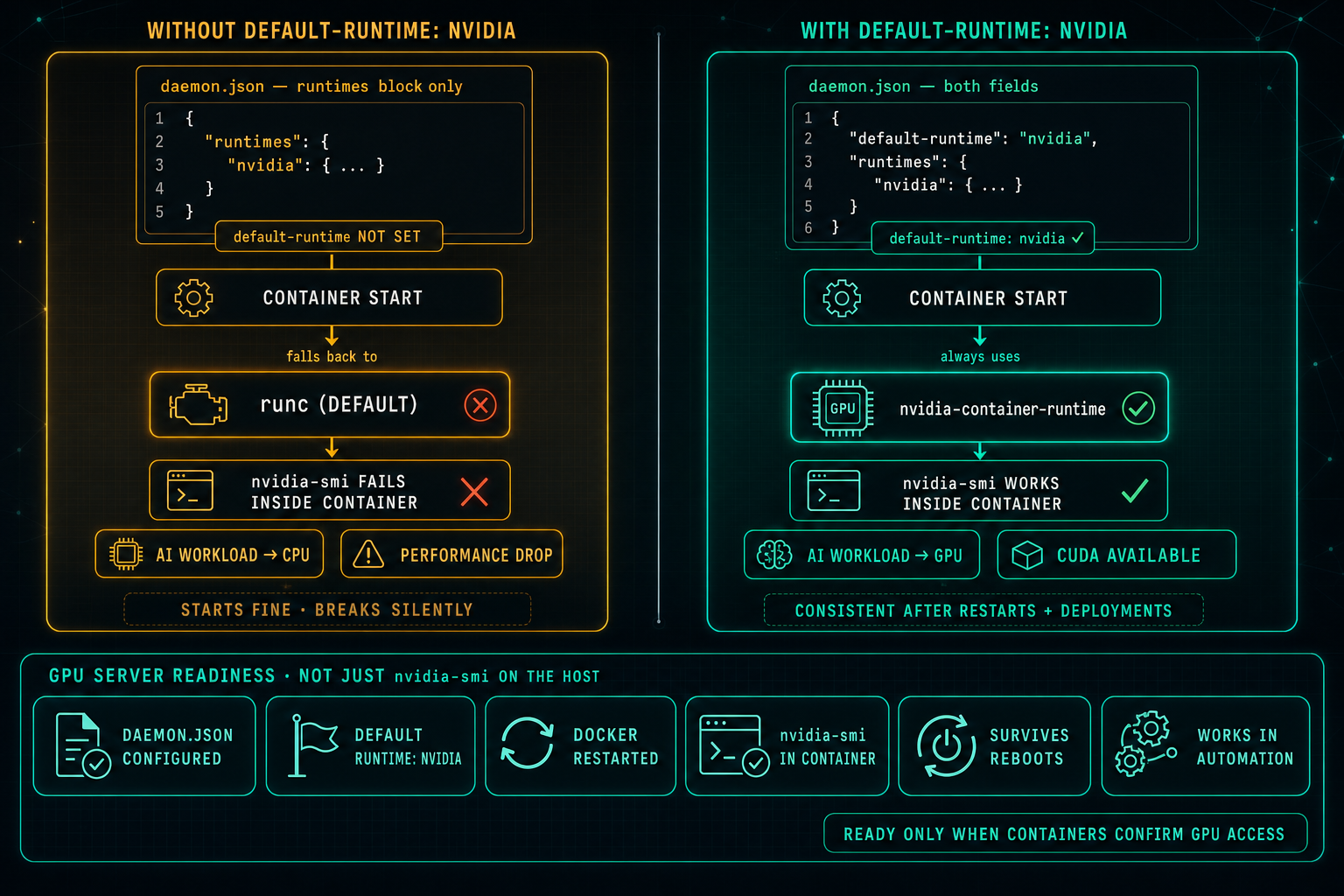
Docker Default Runtime: Keep GPU Containers on NVIDIA
On Linux GPU servers, Docker can know about the NVIDIA runtime and still not use it. If default-runtime is missing from daemon.json, every container falls back to runc, nvidia-smi fails inside the container, AI workloads drop to CPU, and the problem looks like an application issue when it is really a one-line configuration gap.
Read article