
AI Storage: Why Fast GPUs Still Wait for Data
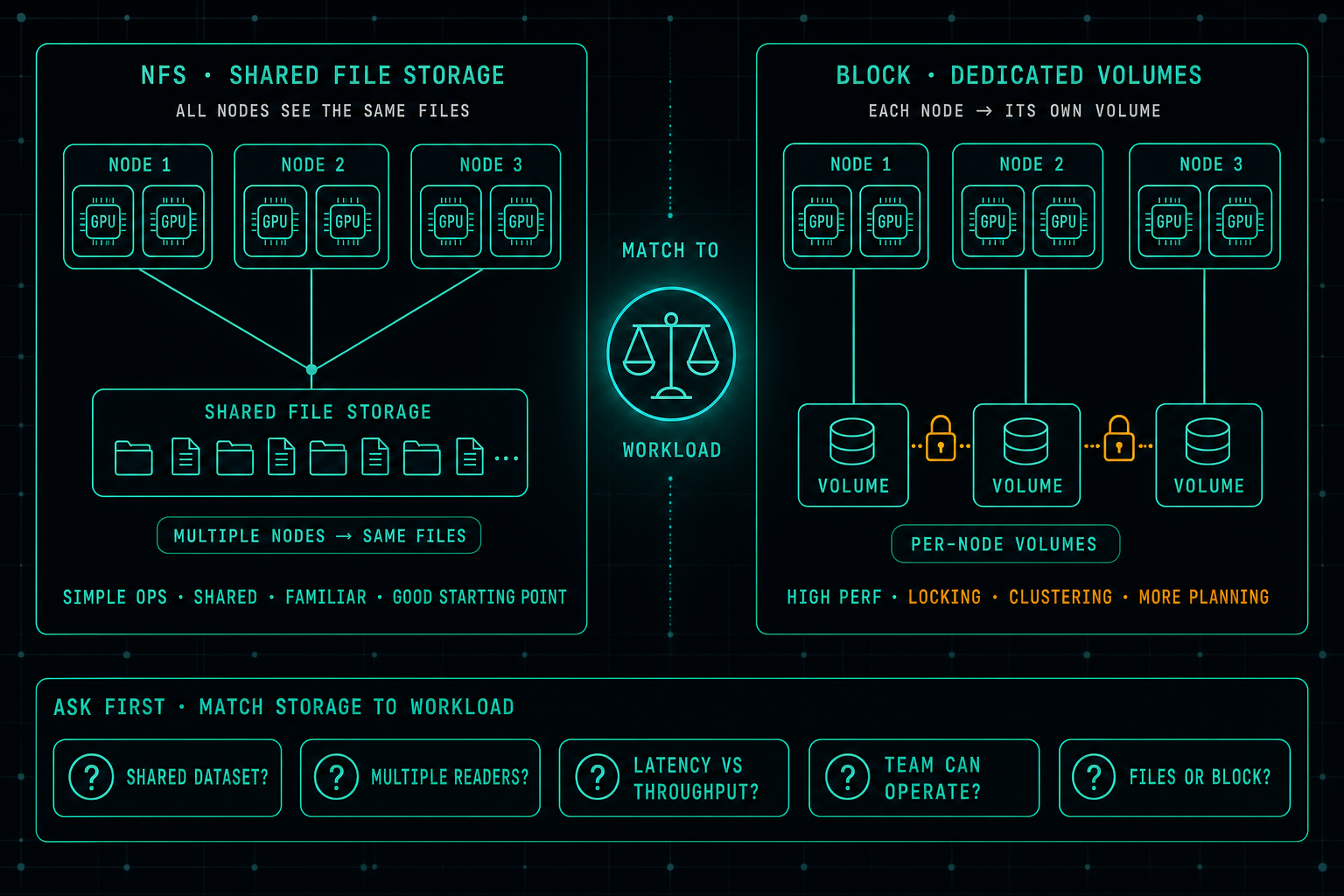
In AI infrastructure, the real bottleneck is often not the GPU, it is the storage. When data does not arrive fast enough, expensive GPUs sit idle. A well-designed NFS setup is still a great starting point for many AI workloads, and jumping straight to block storage usually buys complexity before it buys performance. The better question is which storage matches the workload the team can actually operate.
In AI infrastructure, everyone likes to talk about GPUs.
That makes sense. GPUs are expensive, powerful, and important for training, inference, and Local LLM workloads.
But many times, the real bottleneck is not the GPU.
It is the storage.
If the data does not arrive fast enough, the GPU waits. And when the GPU waits, the company is wasting money.
AI workloads depend on fast and reliable access to models, datasets, checkpoints, logs, and shared files. This is why storage design matters just as much as compute and networking.
For many environments, NFS is still a very good starting point.
It is simple to operate, easy to share between multiple servers, and fits well for AI workflows where several nodes need access to the same files. It also makes operations easier because teams can manage files in a clear and familiar way.
This does not mean NFS is perfect for every workload.
But it does mean that companies should not jump directly to iSCSI or block-based storage unless they really need it.
Block storage can be powerful, but it also adds complexity. It often requires more planning around volumes, locking, clustering, access control, and operational risk. For shared AI data, that complexity is not always worth it.
The better approach is to understand the workload first.
- Do the GPUs need shared access to the same dataset?
- Are multiple servers reading the same model files?
- Is the workload sensitive to latency or throughput?
- Is the team able to operate the storage safely?
- Do we need simple file access, or do we really need block storage?
For many AI and Local LLM environments, a well-designed NFS setup can be the right balance between performance, simplicity, and manageability.
Fast GPUs need fast data.
But good AI infrastructure also needs storage that people can actually manage.
Docker Compose Does Not Automatically Use the GPU
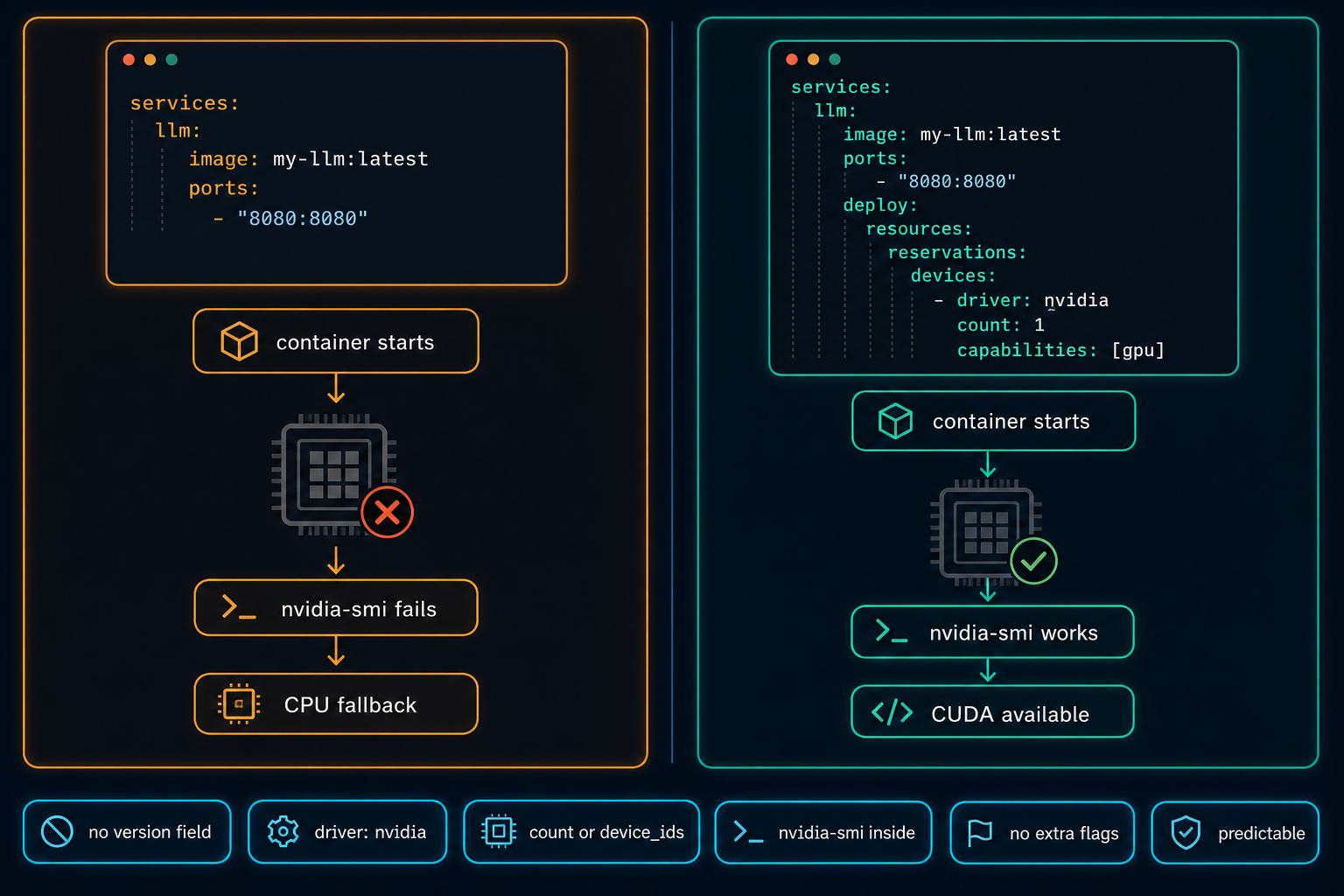
On Linux GPU servers, Docker Compose does not use the NVIDIA GPU automatically. The service starts, nothing obviously fails, and the workload quietly falls back to CPU. The fix is a few lines in the compose file, but only if you know to look for them.
Read article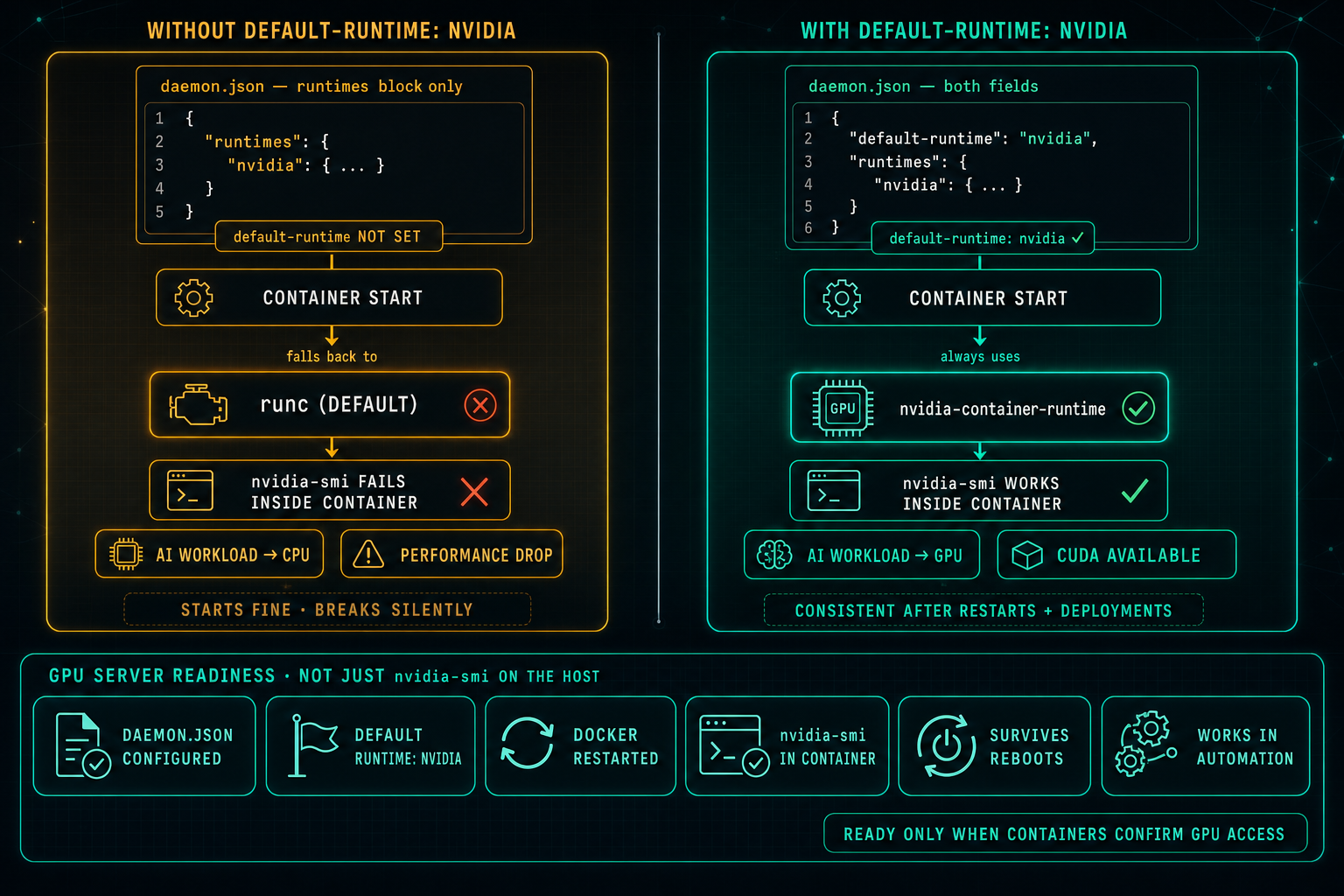
Docker Default Runtime: Keep GPU Containers on NVIDIA
On Linux GPU servers, Docker can know about the NVIDIA runtime and still not use it. If default-runtime is missing from daemon.json, every container falls back to runc, nvidia-smi fails inside the container, AI workloads drop to CPU, and the problem looks like an application issue when it is really a one-line configuration gap.
Read article