
ZTNA: A Better Way to Secure External Access
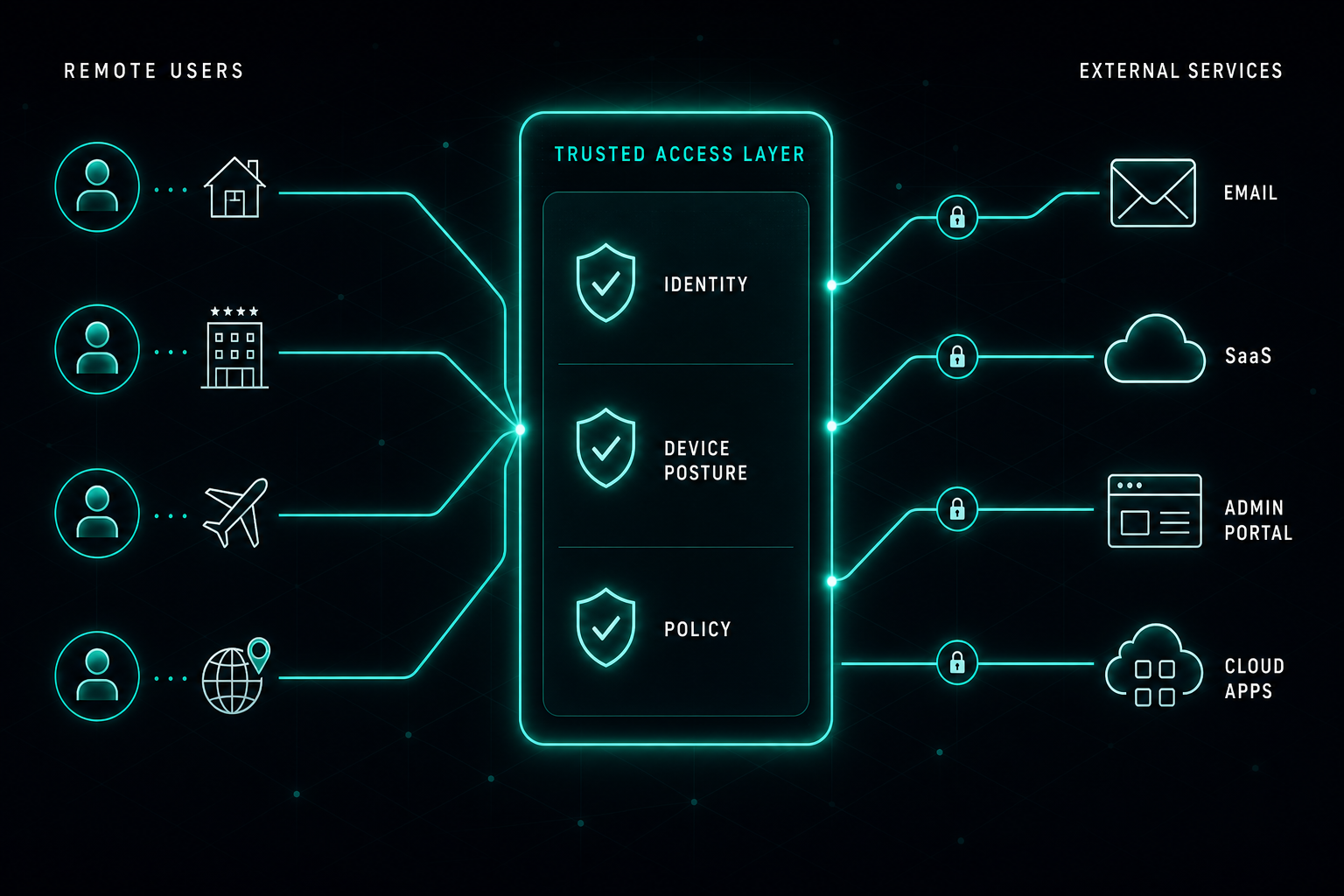
Forcing VPN for every cloud service is no longer the right model. ZTNA gives IT teams a cleaner way to secure email, SaaS, and admin portals with identity, device posture, and policy-controlled access paths.
Companies usually have strong security controls inside the office. Traffic goes through the corporate network, policies are enforced, and access to business services is controlled.
The challenge starts when users work from home, hotels, airports, or other countries.
The traditional answer was to force users to connect to VPN. That works for some internal systems, but it is not always the right model for external services like email, SaaS platforms, admin portals, or cloud applications.
For IT teams, this creates a problem.
You want those services to accept access only from trusted company-controlled traffic paths. At the same time, you do not want every user to open a full VPN tunnel just to read email or use a cloud application.
ZTNA solves this in a cleaner way.
With ZTNA, access is based on identity, device posture, policy, and the specific application. The user does not receive broad network access. They receive access only to the service they are allowed to use.
From the service side, access can be limited to approved company access points, combined with user authentication and device validation. This means that even when the user is outside the office, the connection still follows the company security policy.
This is also better than managing access by country. Employees travel all the time, and opening countries manually quickly becomes noisy, risky, and hard to maintain.
ZTNA gives IT teams a modern access model:
- Secure access from anywhere.
- No full network exposure.
- No unnecessary VPN connection for every cloud service.
- Better control over users, devices, and external applications.
VPN still has a place, but ZTNA is a better fit for modern work and external service access.
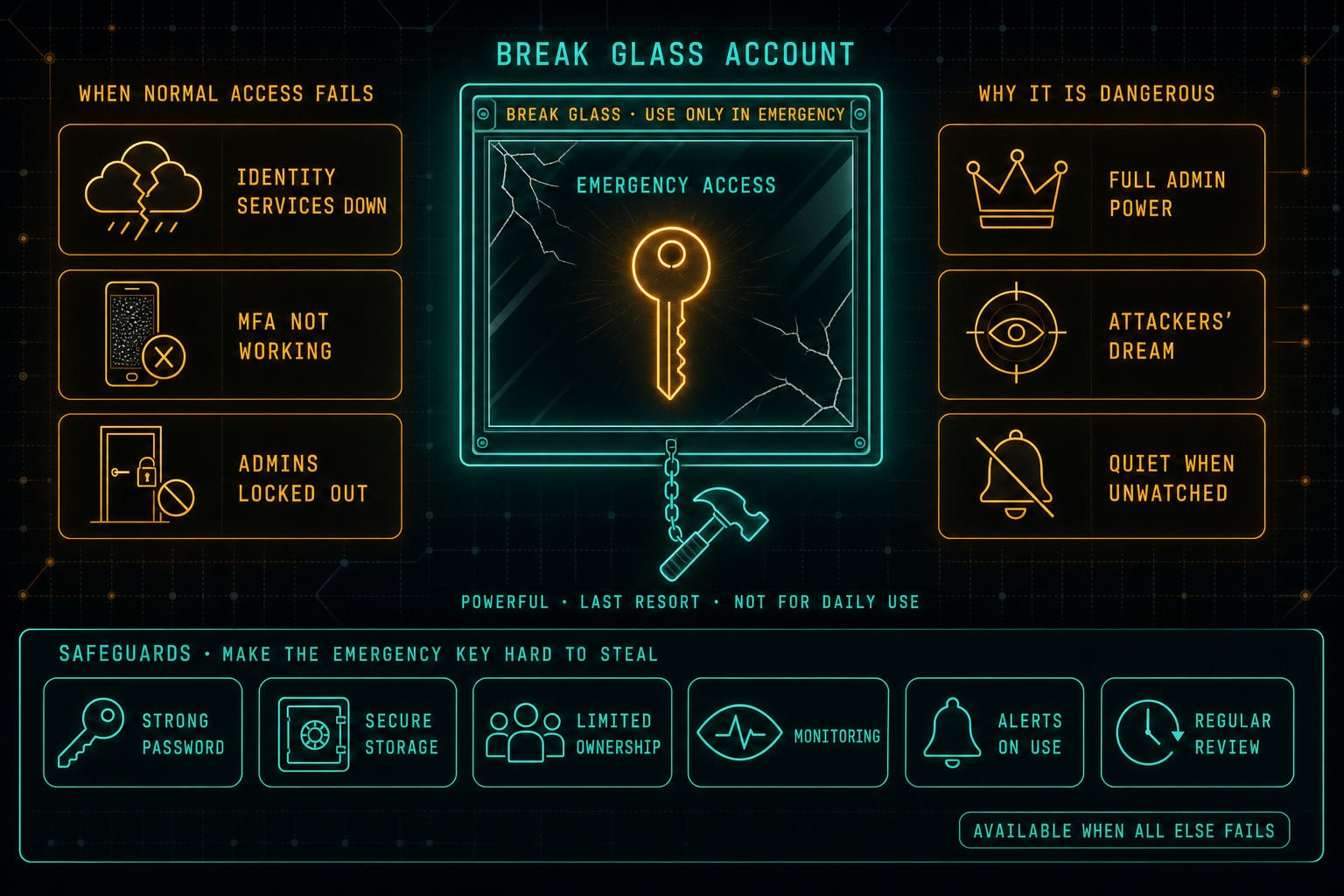
Break Glass Accounts: Necessary, but Dangerous
Every organization needs a backup plan for access. When identity services are down, MFA is broken, or the regular admins are locked out, break glass accounts are how the company gets back in. The same accounts are also a dream target for attackers, which is why they need strong credentials, safe storage, limited ownership, monitoring, alerts on use, and a real review cadence, not a sticky note in a drawer.
Read article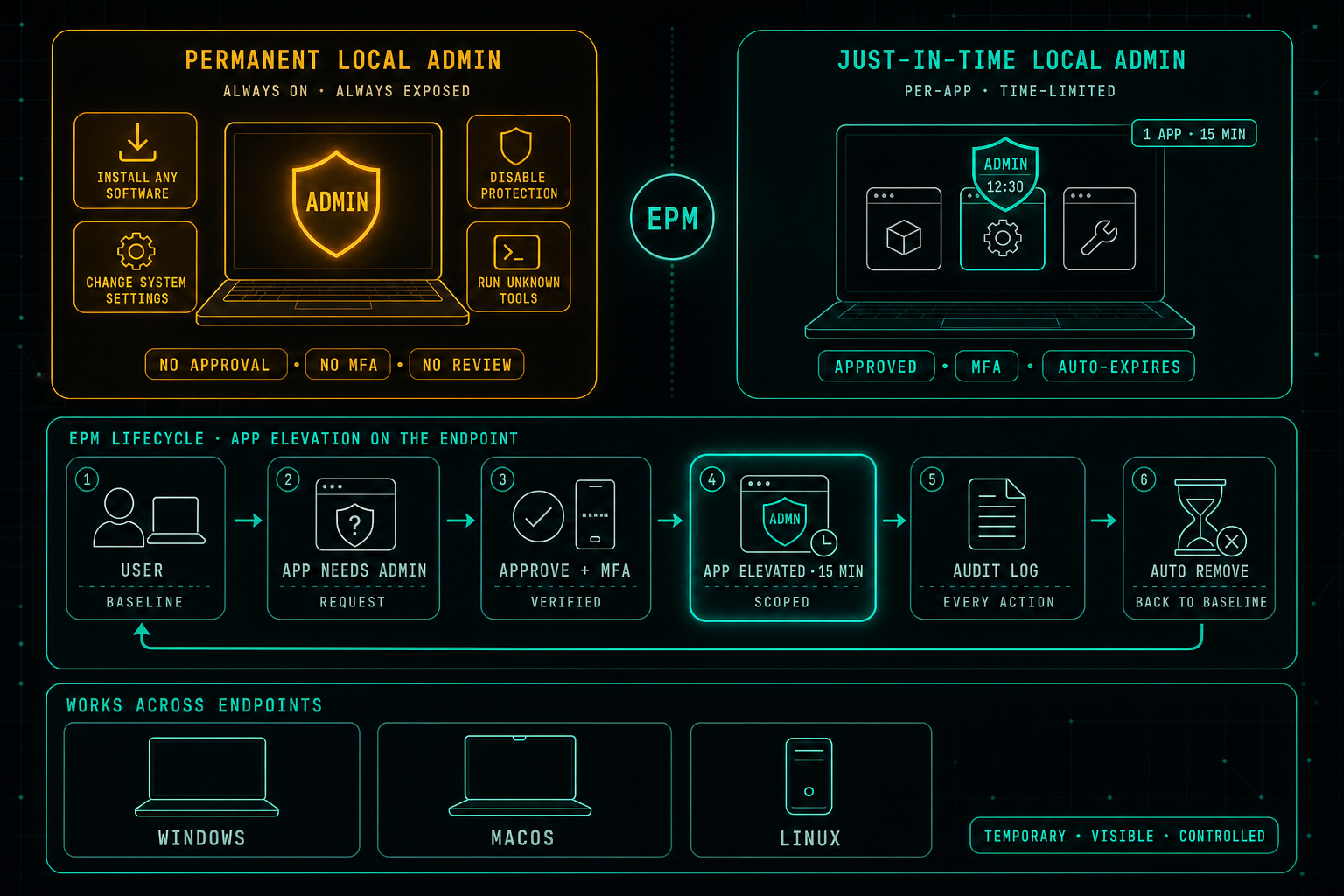
Local Admin Rights Should Not Be Permanent
Privileged access is not only a cloud problem. While most security work focuses on admin roles in Microsoft 365, cloud platforms, firewalls, and servers, the local admin rights sitting on every laptop are often quietly forgotten. Endpoint Privilege Management replaces permanent local admin with controlled, per-app, time-limited elevation, so users keep working without the endpoint becoming the soft underbelly of the environment.
Read article