
Why Windows Servers Need MFA for RDP Access

MFA on email and VPN is standard. On Windows Server logins, it usually isn't. That gap is where most of the trouble starts.
Most companies enforce MFA on email, VPN, and cloud applications. Yet Windows Server logins often still rely on nothing more than a username and password.
That gap is a real problem. If admin credentials get phished or leaked, anyone holding them can open an RDP session straight into critical systems.
Windows Hello for Business is excellent for endpoint sign-in, but bolting it onto an existing fleet of Windows Servers is rarely the path of least resistance.
Cisco Duo for Windows Logon and RDP is the more practical option. It plugs an MFA prompt directly into Windows sign-in and Remote Desktop sessions, so a stolen password alone is no longer enough.
It is especially worth the effort if your team relies on RDP day-to-day, manages a fleet of Windows Servers, or just wants a second factor on every administrative login.
Adding MFA to server access is one of the simplest changes you can make with a real impact on infrastructure security.
At MyIT Cyber, we roll out Duo MFA for Windows Servers, harden RDP access, and close gaps like this across the rest of your infrastructure.
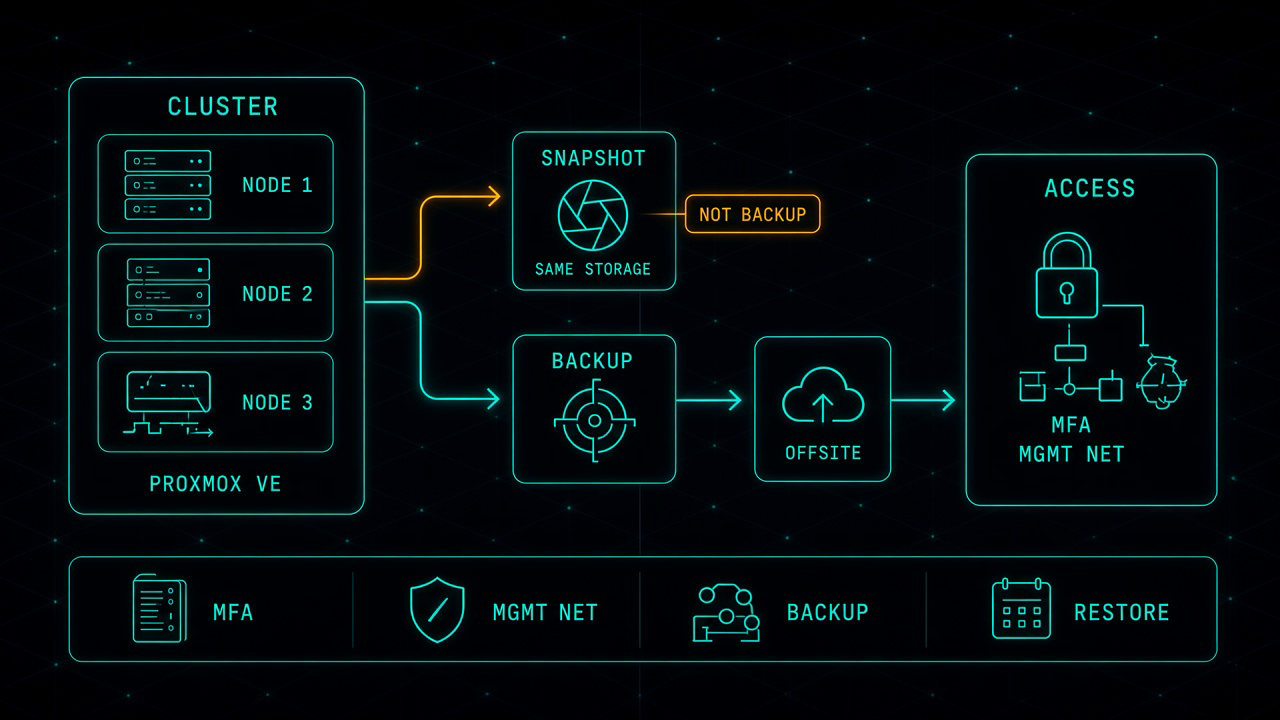
Proxmox in Production: The Work That Starts After the Move
Leaving VMware for Proxmox can be the right financial decision. It is not the finish line. After the last virtual machine lands, you own the hypervisor, the cluster, the backup, and the access path. That is where most of the real work starts.
Read article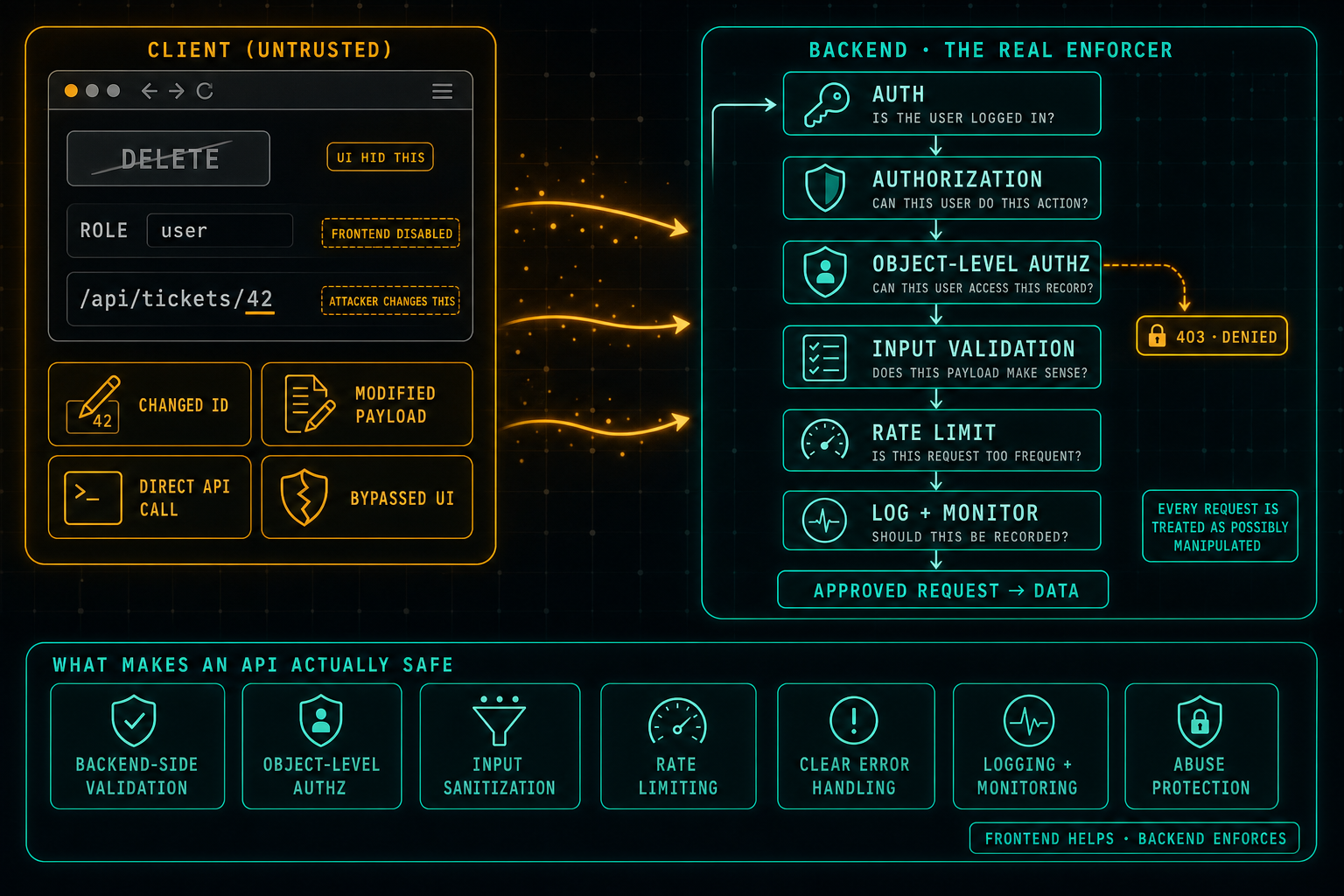
API Security: Do Not Trust the Client
The frontend can hide buttons, disable fields, and guide the user through the right flow, but anything that comes from the client can be changed. Attackers swap IDs in URLs, edit payloads, call the API directly, and bypass the UI completely. Real security lives in the backend: authentication, authorization, object-level access checks, input validation, rate limits, and logging on every request, because every request is treated as possibly manipulated.
Read article