
SSH Keys: A Better Way to Access Linux Servers
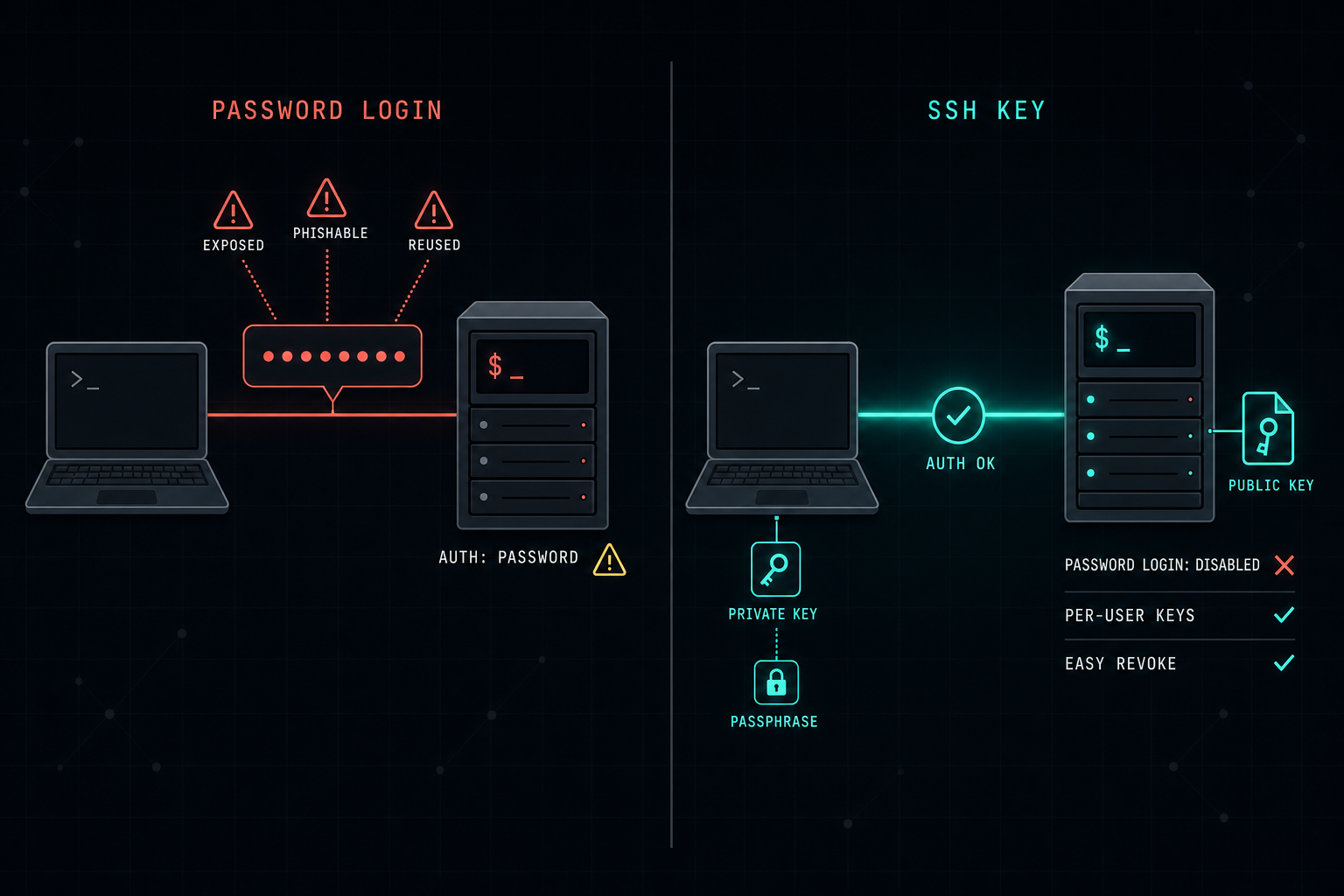
Many Linux servers still rely on a username and password. SSH key authentication is more secure, easier to manage, and removes passwords from the wire. For production servers, password-based SSH should not be the default.
Many Linux servers still allow users to connect with a username and password.
It works, but it is not the best security model.
Passwords can be guessed, reused, leaked, or stolen through phishing. They are also harder to manage when many users need access to different servers.
A better approach is to use SSH keys.
With SSH key authentication, the user has a private key on their computer and a public key on the Linux server. When the user connects, the server checks that the private key matches the public key. The password is not sent over the network.
This makes access more secure and easier to control.
For IT teams, SSH keys also create a cleaner access model:
- Each user can have their own key.
- Access can be removed by deleting the public key from the server.
- Password login can be disabled to reduce the attack surface.
Using SSH keys is not only a technical improvement.
It is a better operational habit.
For production Linux servers, password-based SSH should not be the default.
Key-based access gives better security, better control, and a more reliable way to manage server access.
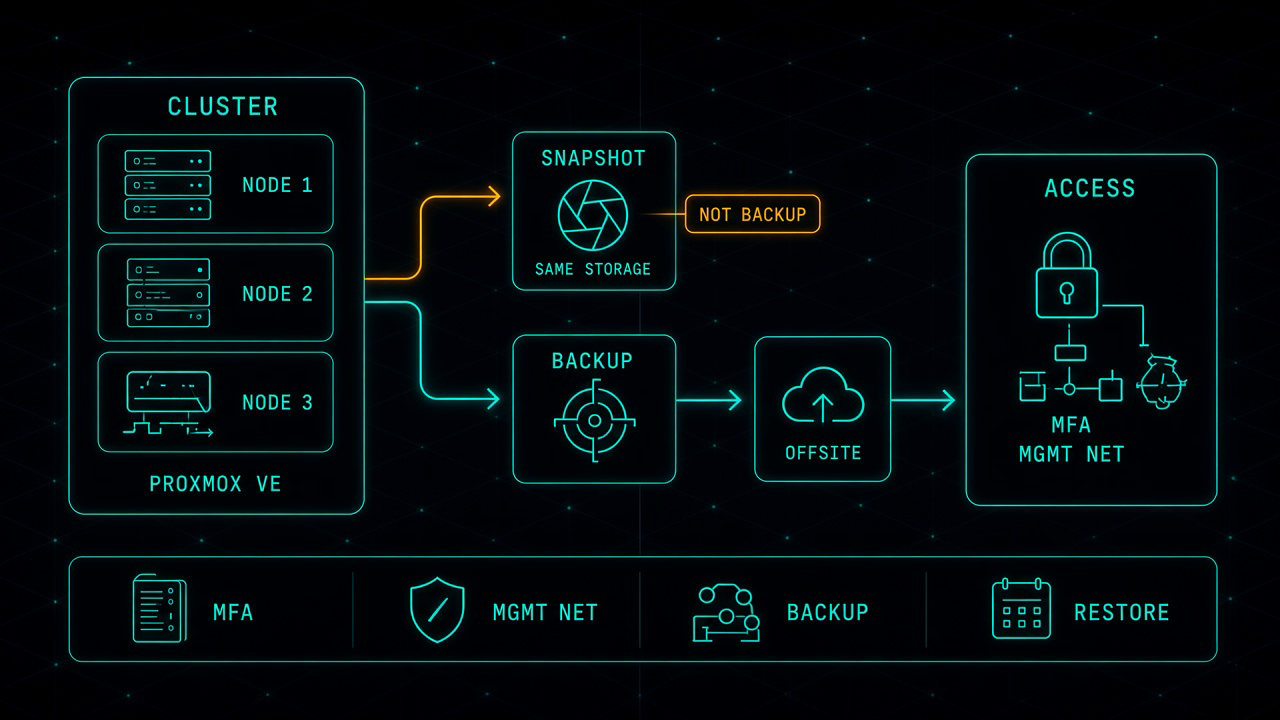
Proxmox in Production: The Work That Starts After the Move
Leaving VMware for Proxmox can be the right financial decision. It is not the finish line. After the last virtual machine lands, you own the hypervisor, the cluster, the backup, and the access path. That is where most of the real work starts.
Read article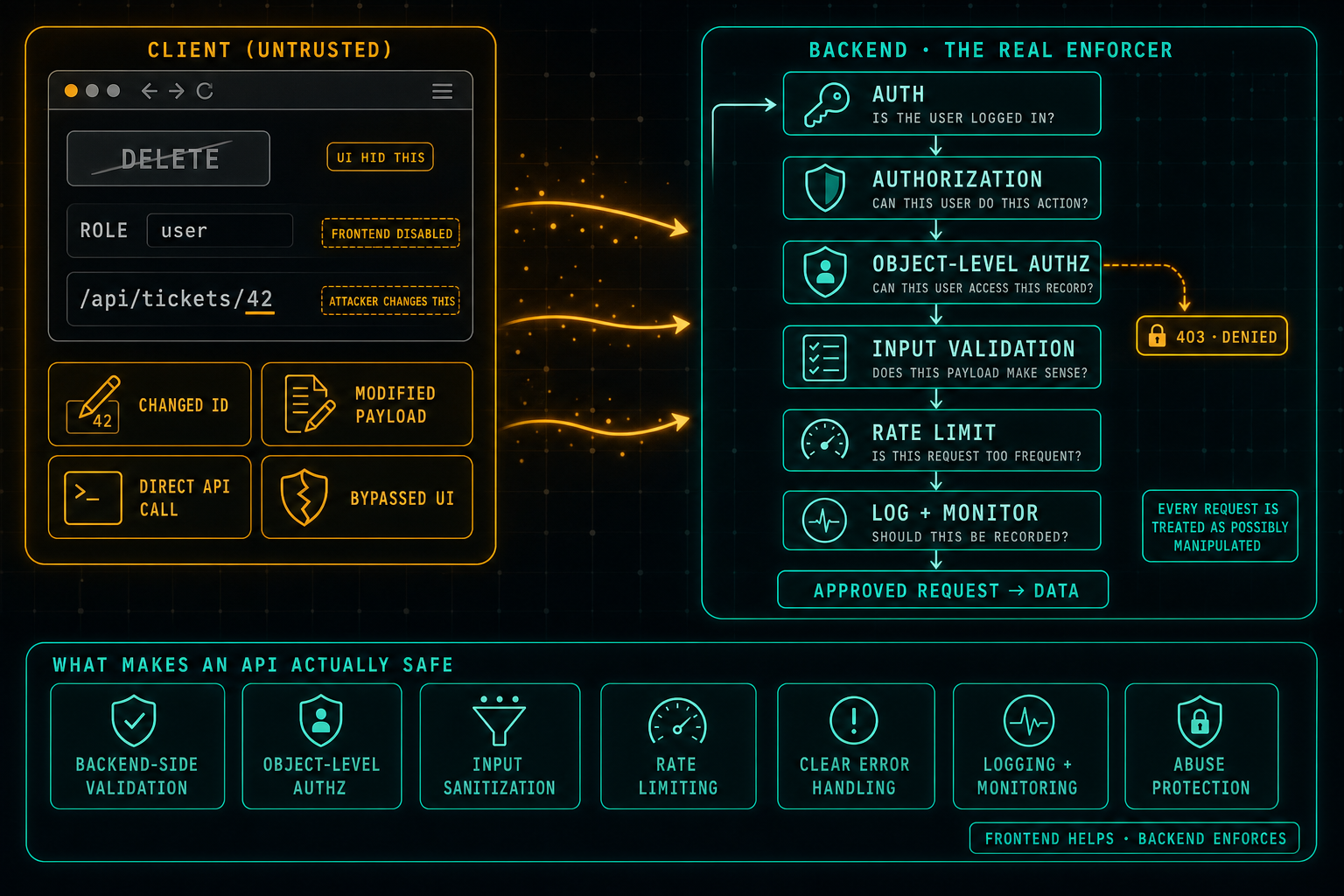
API Security: Do Not Trust the Client
The frontend can hide buttons, disable fields, and guide the user through the right flow, but anything that comes from the client can be changed. Attackers swap IDs in URLs, edit payloads, call the API directly, and bypass the UI completely. Real security lives in the backend: authentication, authorization, object-level access checks, input validation, rate limits, and logging on every request, because every request is treated as possibly manipulated.
Read article