
Secrets Management: Stop Saving Passwords in Code
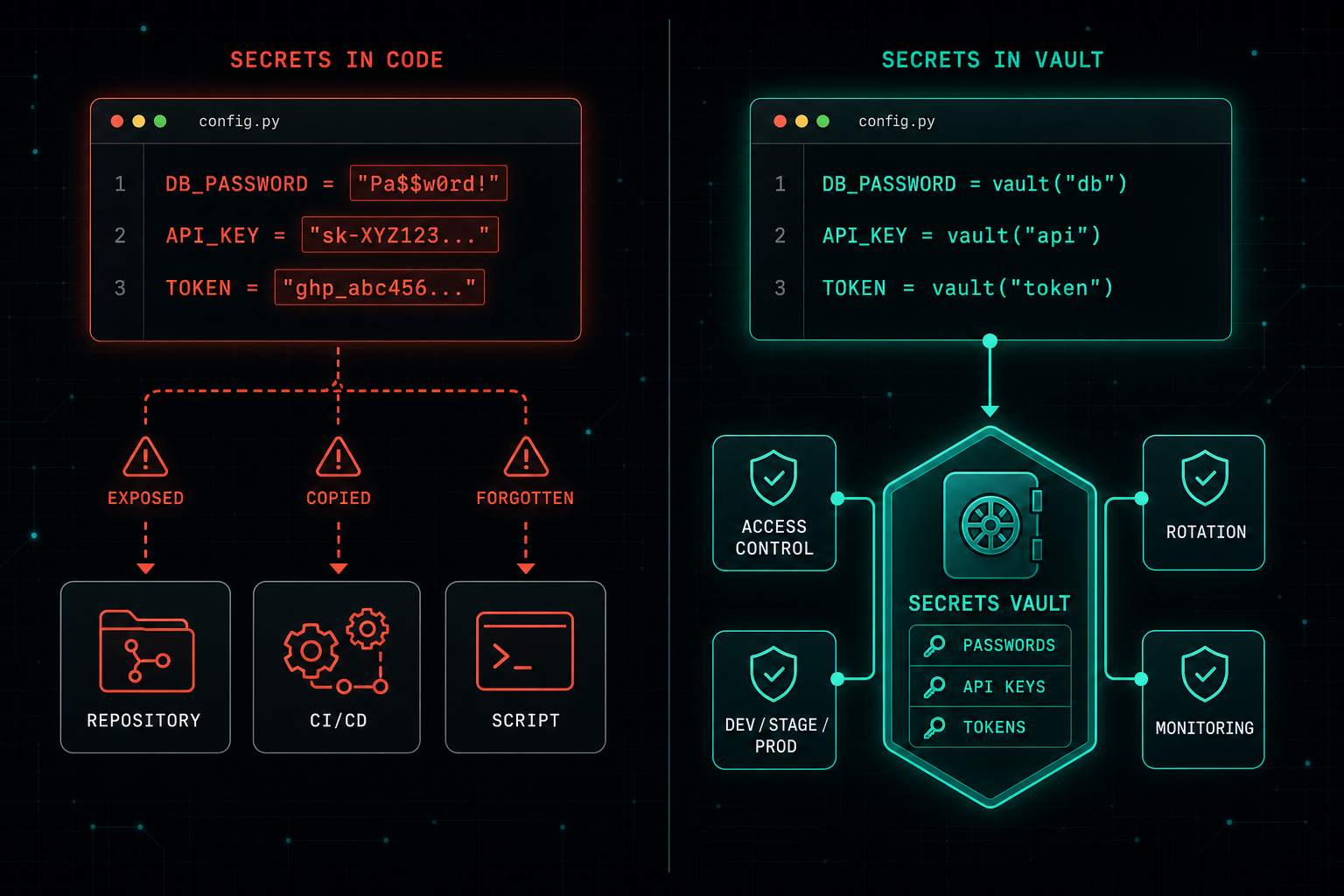
Saving passwords, API keys, or tokens inside code feels quick, but the moment they hit a repository or CI pipeline, they are not really private anymore. Code defines what the application does. Secrets should never live inside it.
One of the most common security mistakes is also one of the easiest to avoid.
Saving passwords, API keys, tokens, or connection strings inside code.
It may feel quick during development, but it creates a serious risk. Once a secret is inside a script, config file, repository, or CI/CD pipeline, it can be copied, exposed, leaked, or forgotten.
This becomes even more dangerous when teams use shared repositories, automation scripts, cloud environments, and multiple developers. One mistake can expose access to databases, servers, cloud accounts, or internal systems.
Secrets should be managed properly:
- Use a secure secrets manager or vault.
- Give access only to the users and services that really need it.
- Separate secrets between development, staging, and production.
- Rotate keys regularly.
- Remove old secrets.
- Monitor suspicious usage.
Good secrets management is not only about security.
It also makes operations cleaner.
When secrets are stored in the right place, teams can update access without changing code, reduce human mistakes, and control who can use what.
The rule is simple.
Code should define what the application does.
Secrets should never live inside the code.
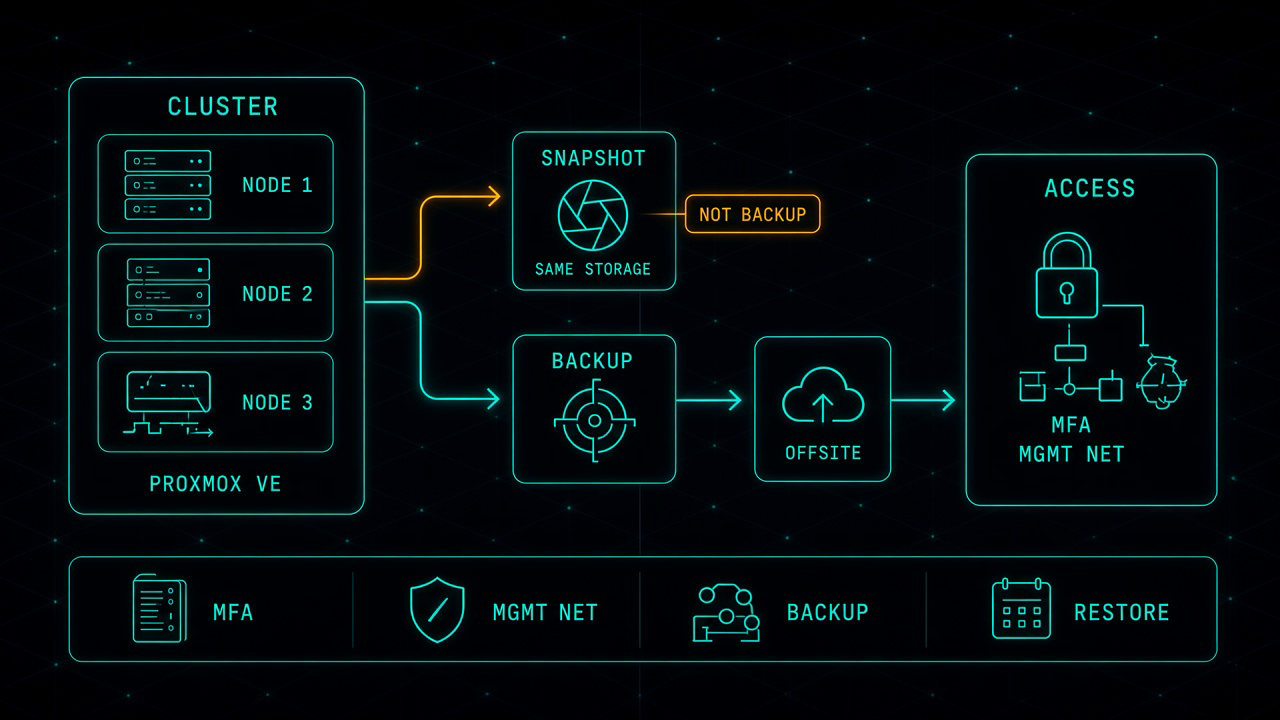
Proxmox in Production: The Work That Starts After the Move
Leaving VMware for Proxmox can be the right financial decision. It is not the finish line. After the last virtual machine lands, you own the hypervisor, the cluster, the backup, and the access path. That is where most of the real work starts.
Read article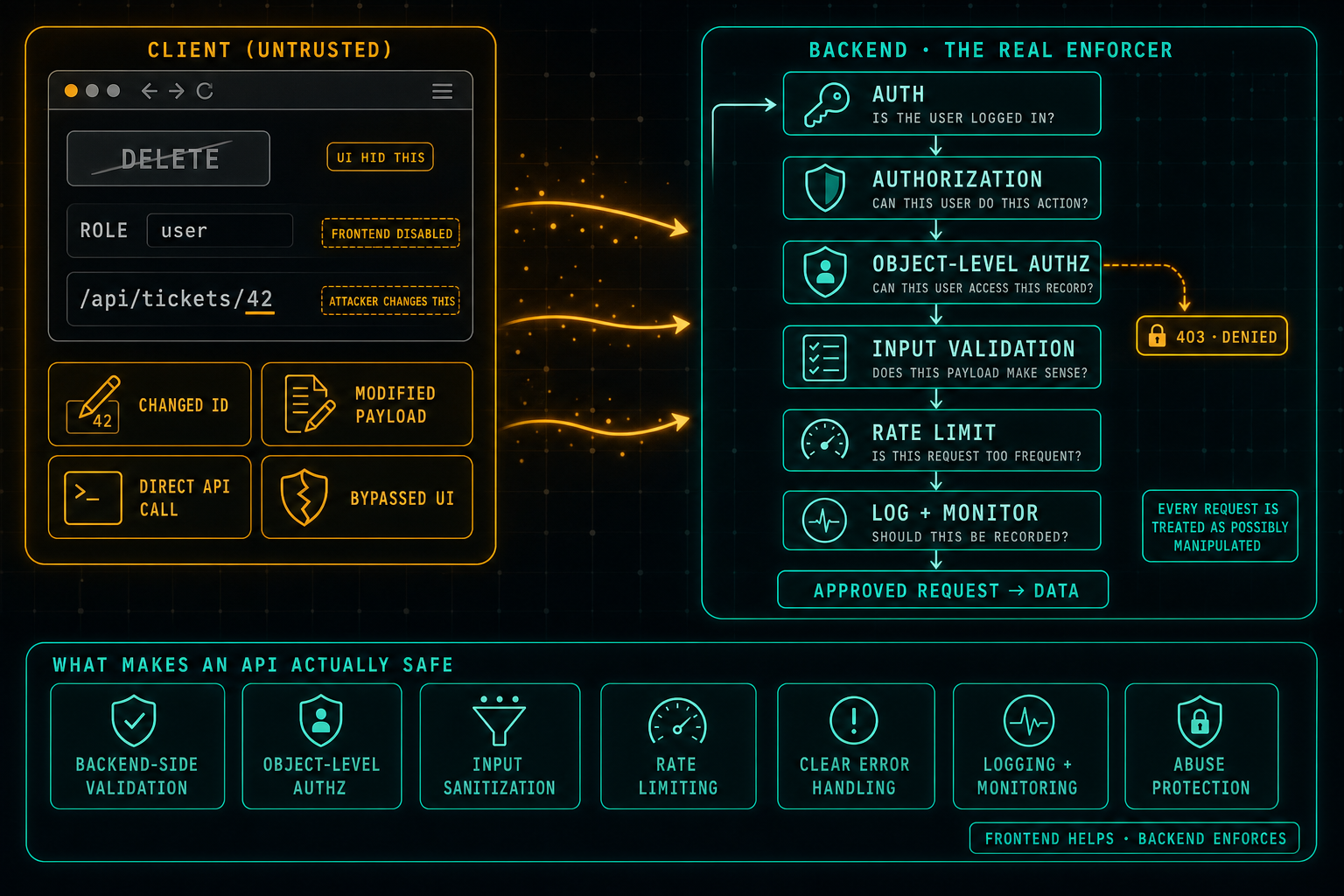
API Security: Do Not Trust the Client
The frontend can hide buttons, disable fields, and guide the user through the right flow, but anything that comes from the client can be changed. Attackers swap IDs in URLs, edit payloads, call the API directly, and bypass the UI completely. Real security lives in the backend: authentication, authorization, object-level access checks, input validation, rate limits, and logging on every request, because every request is treated as possibly manipulated.
Read article