
Privileged Identity Management: Admin Access Should Not Be Permanent
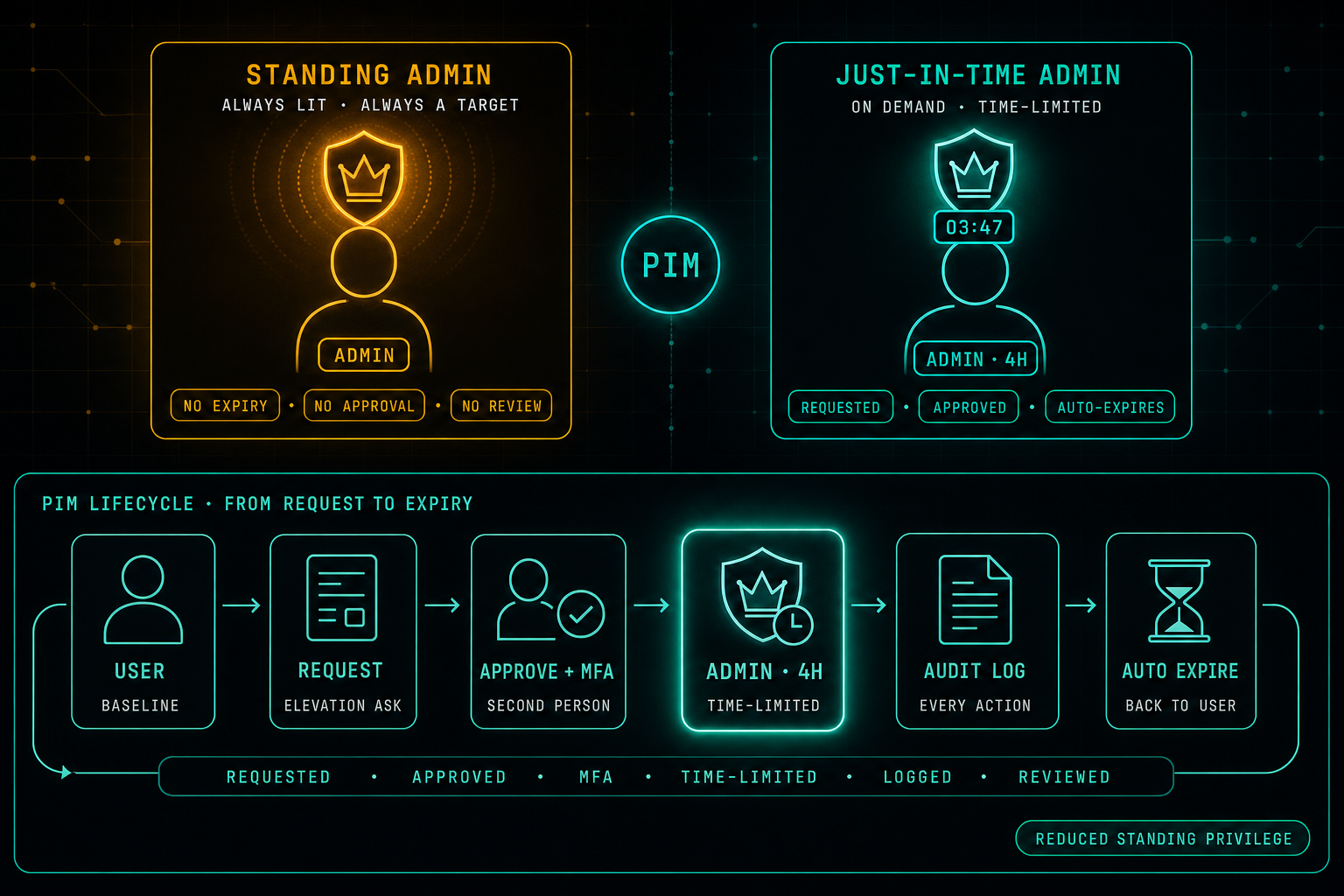
Admin access is one of the most sensitive things in any organization, yet many companies still treat it as something permanent. Permissions are granted and quietly stay. Privileged Identity Management flips the model, admin rights are requested when needed, approved, MFA-enforced, time-limited, logged, and reviewed. The goal is not to make work harder. It is to make admin access controlled, visible, and temporary.
Admin access is one of the most sensitive things in any organization.
The problem is that many companies still treat admin permissions as something permanent.
A user becomes an admin, and the permission stays there for months or years. A vendor gets access for a project, and nobody removes it. A temporary elevation becomes a normal way of working.
This creates quiet risk.
If an admin account is compromised, the attacker does not need to work hard. The permissions are already there.
Privileged Identity Management changes this model.
Instead of giving users permanent admin access, permissions are granted only when needed, for a limited time, and under clear conditions.
- A user can request privileged access.
- The request can require approval.
- MFA can be enforced.
- The access can expire automatically.
- The action can be logged and reviewed.
This is a much safer way to manage powerful permissions.
It also helps IT and security teams understand who has admin access, why they need it, when they used it, and whether they still need it.
The goal is not to make work harder.
The goal is to reduce standing privileges and make admin access controlled, visible, and temporary.
For Microsoft environments, this is where Entra ID P2 becomes very relevant. Features like Privileged Identity Management, Access Reviews, Identity Protection, and advanced auditing help turn privileged access from a permanent risk into a controlled process.
Break Glass Accounts: Necessary, but Dangerous
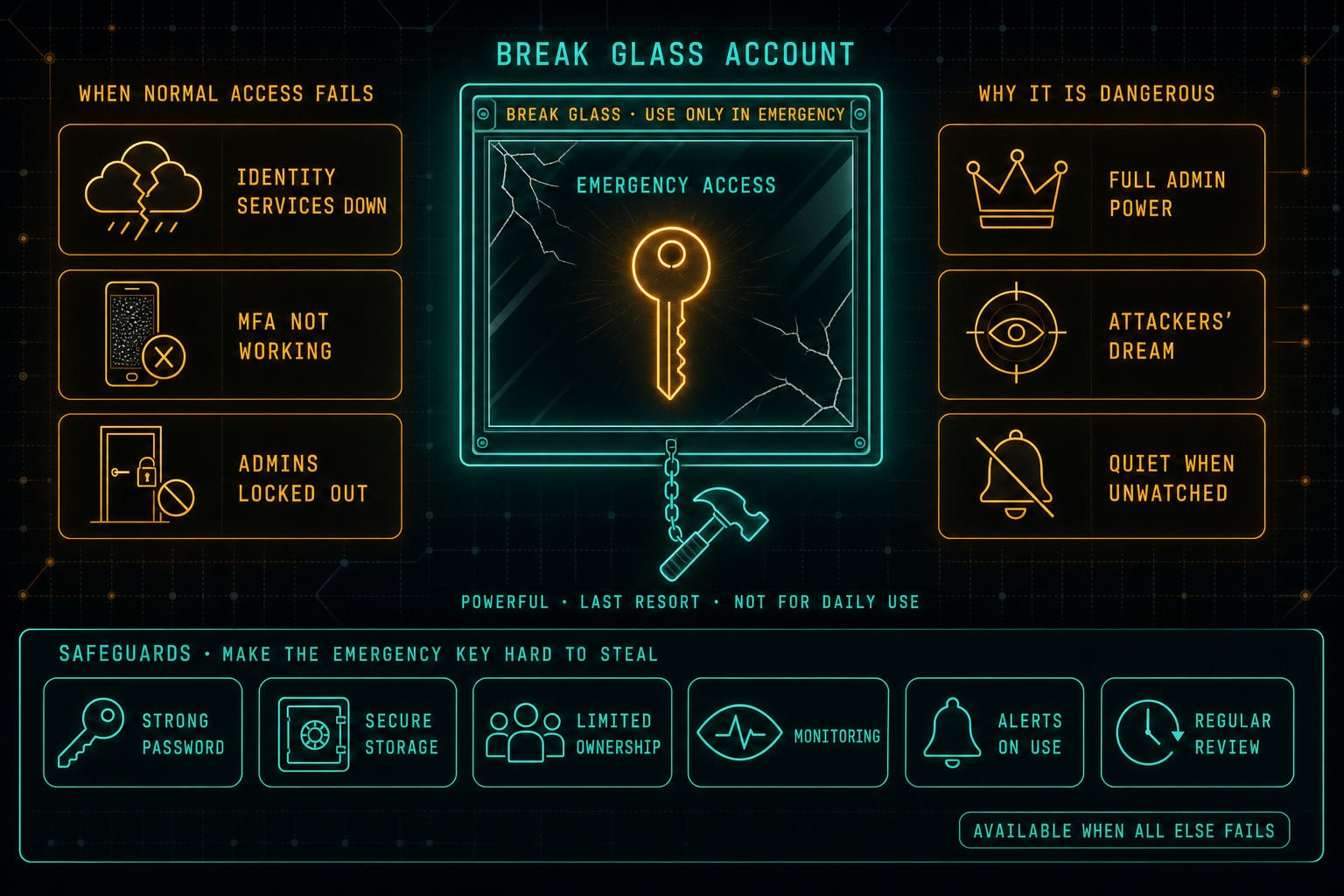
Every organization needs a backup plan for access. When identity services are down, MFA is broken, or the regular admins are locked out, break glass accounts are how the company gets back in. The same accounts are also a dream target for attackers, which is why they need strong credentials, safe storage, limited ownership, monitoring, alerts on use, and a real review cadence, not a sticky note in a drawer.
Read article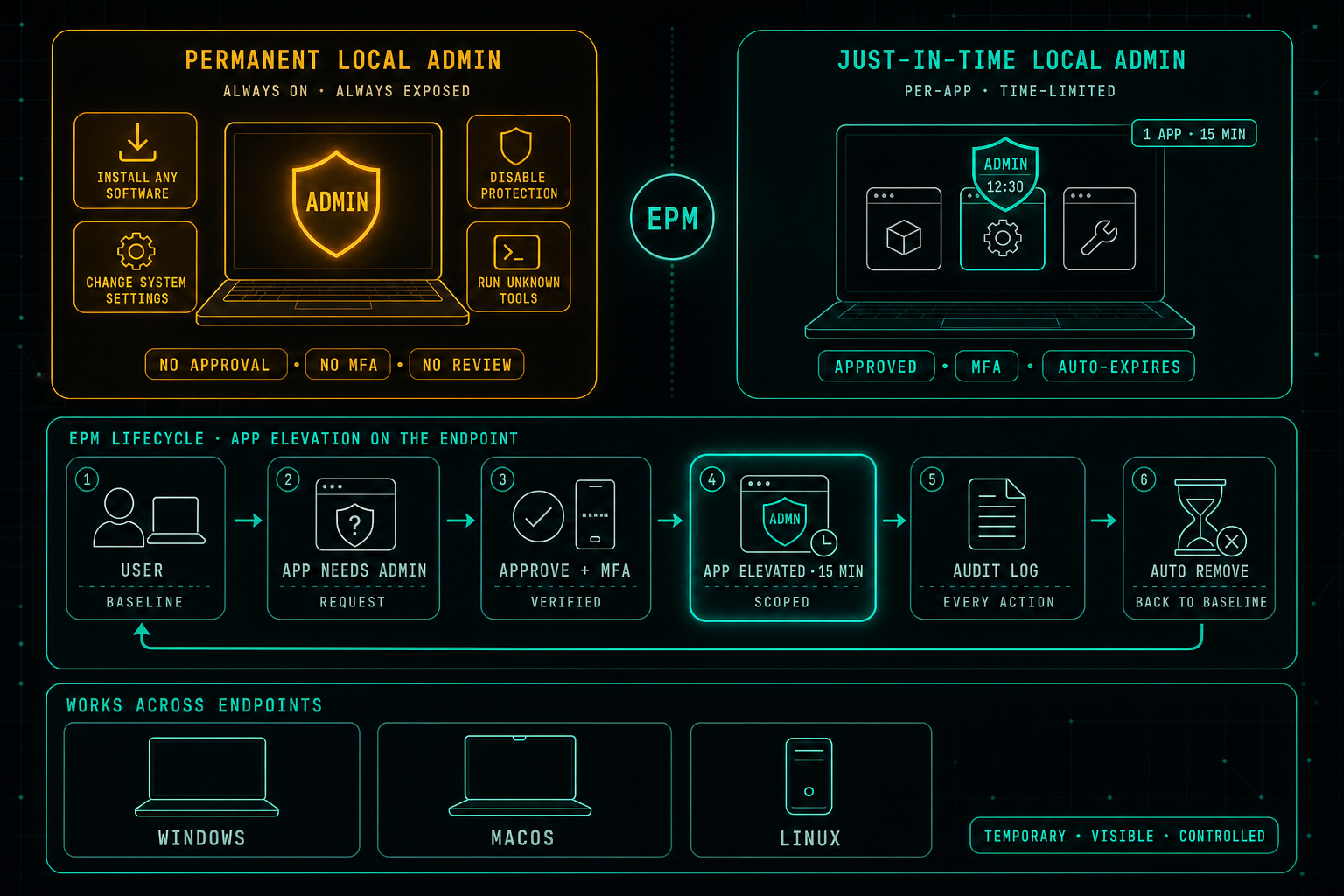
Local Admin Rights Should Not Be Permanent
Privileged access is not only a cloud problem. While most security work focuses on admin roles in Microsoft 365, cloud platforms, firewalls, and servers, the local admin rights sitting on every laptop are often quietly forgotten. Endpoint Privilege Management replaces permanent local admin with controlled, per-app, time-limited elevation, so users keep working without the endpoint becoming the soft underbelly of the environment.
Read article