
Backup Policy: Local, Cloud, and the 3-2-1 Rule
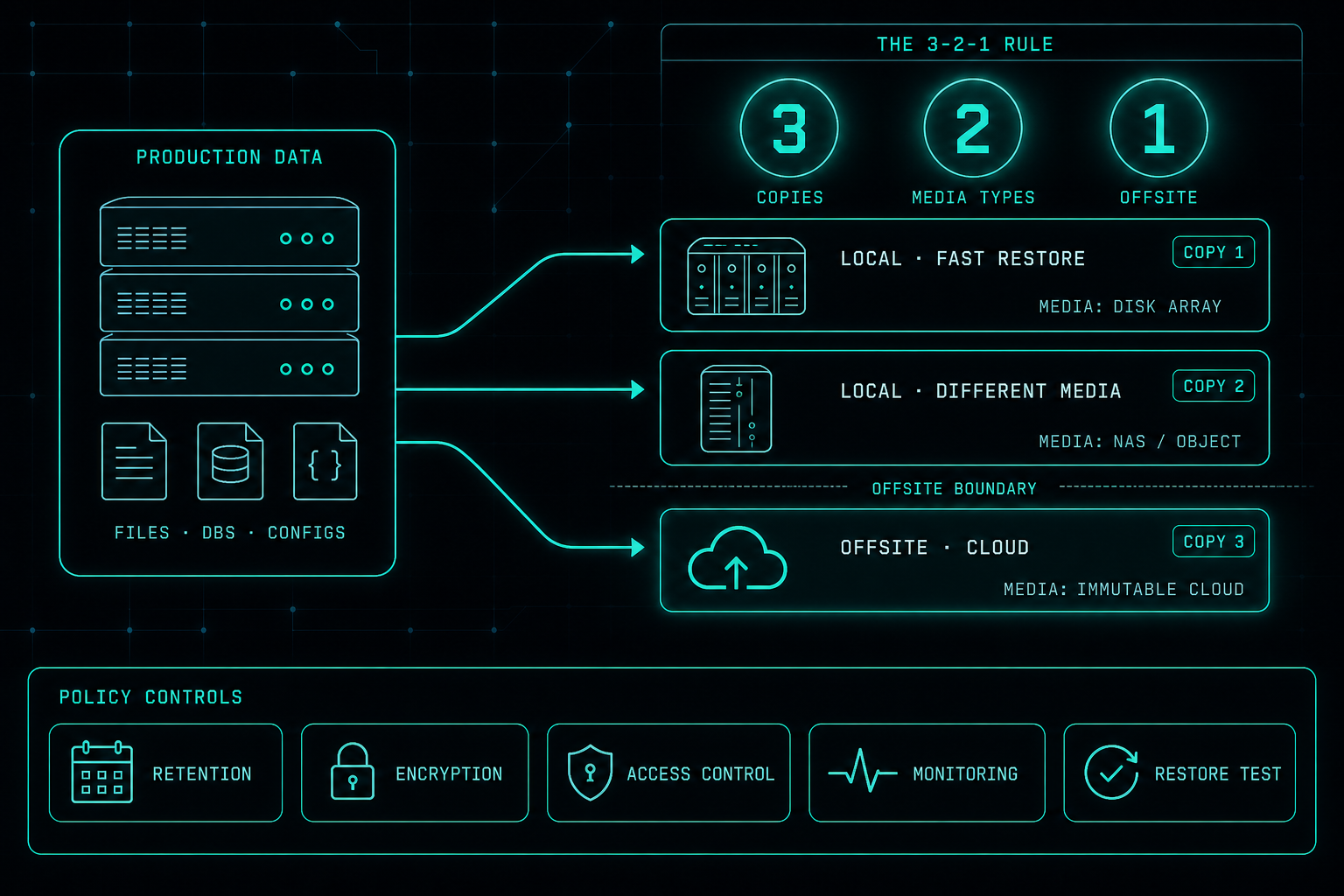
Owning a backup tool is not the same as having a backup policy. A policy says what is protected, how often, where copies live, who is responsible, and how restore is tested. The 3-2-1 rule, combined with local and cloud copies, is still the simplest way to make sure one failure does not take the business down.
Every company needs backups, but having a backup tool is not the same as having a backup policy.
A good backup policy defines what needs to be backed up, how often, where the backups are stored, who is responsible, and how recovery is tested.
The best approach is usually a combination of local and cloud backups.
Local backups are useful because they are fast. They help restore files, servers, and systems quickly when something breaks, gets deleted, or needs to be rolled back.
Cloud backups are important because they protect the company when the local environment is damaged, encrypted by ransomware, lost, or unavailable.
This is where the 3-2-1 backup rule earns its place.
- 3 copies of the data.
- 2 different types of storage.
- 1 copy offsite or in the cloud.
This simple rule reduces the risk of losing everything to one failure, one mistake, or one attack.
A strong backup policy should also include retention, encryption, access control, monitoring, and restore testing.
Snapshots can help, but they are not a full backup strategy. They are useful for quick recovery, but they should not be the only protection.
The goal is simple.
When something goes wrong, the company should know exactly what can be restored, how long it will take, and who is responsible for the recovery.
Backup is not only about saving data.
It is about making sure the business can keep working.
Proxmox in Production: The Work That Starts After the Move
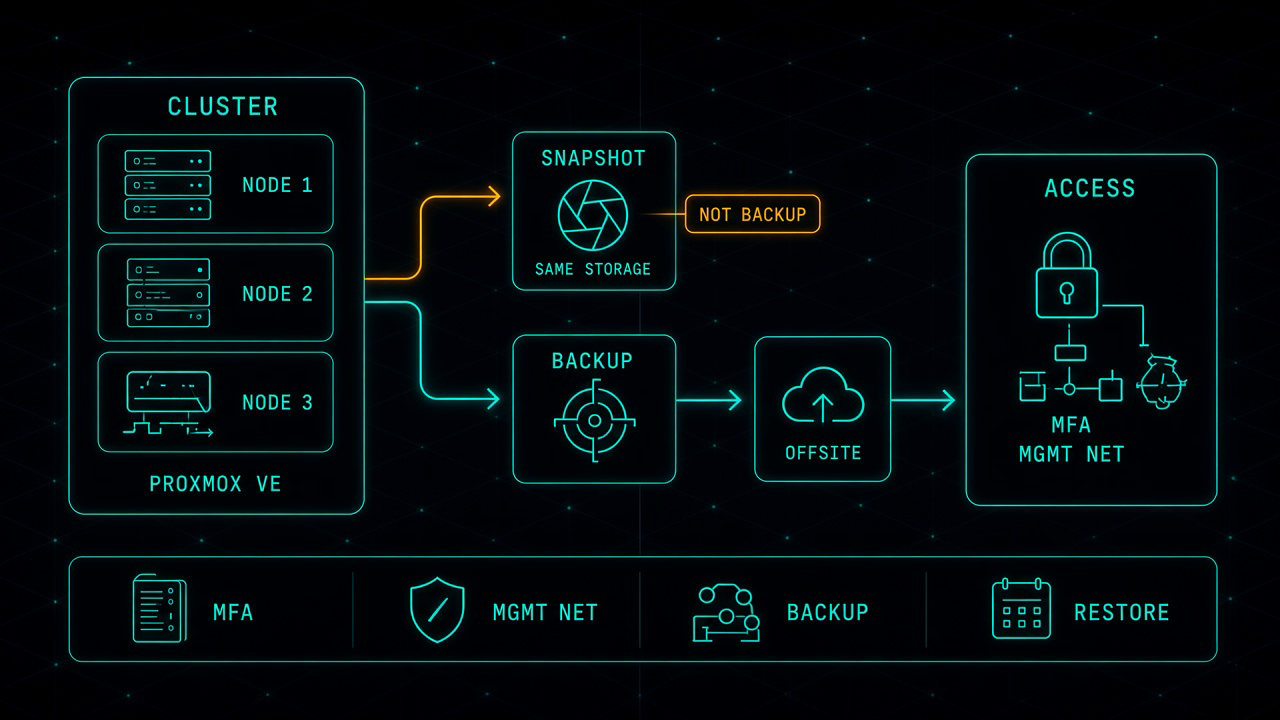
Leaving VMware for Proxmox can be the right financial decision. It is not the finish line. After the last virtual machine lands, you own the hypervisor, the cluster, the backup, and the access path. That is where most of the real work starts.
Read article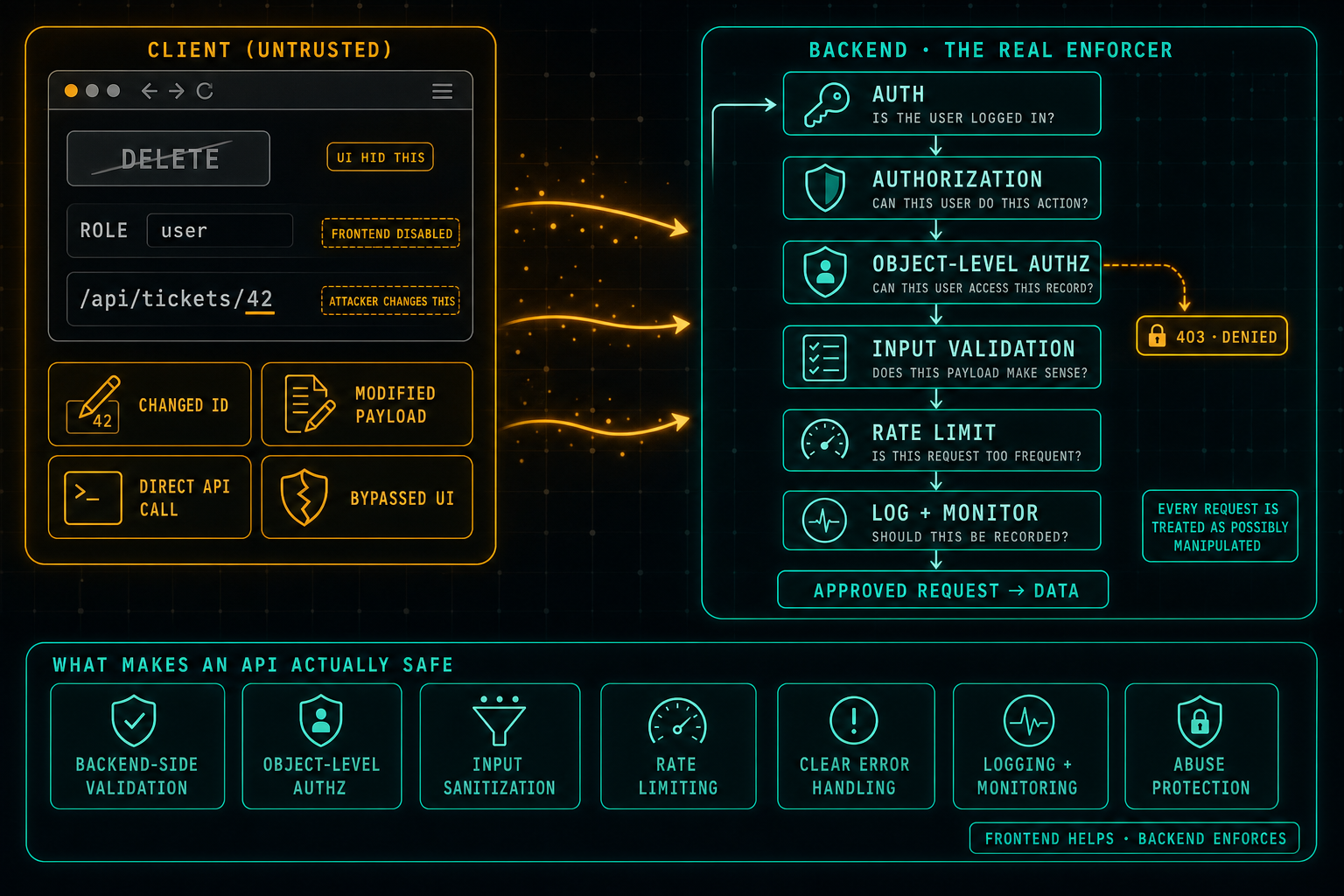
API Security: Do Not Trust the Client
The frontend can hide buttons, disable fields, and guide the user through the right flow, but anything that comes from the client can be changed. Attackers swap IDs in URLs, edit payloads, call the API directly, and bypass the UI completely. Real security lives in the backend: authentication, authorization, object-level access checks, input validation, rate limits, and logging on every request, because every request is treated as possibly manipulated.
Read article